Written by Prescious
Edited on
18 November 2024
·
14:08
How do you choose a gaming mouse?
You're looking for a new gaming mouse, but aren't sure what the options are. No worries, we'll list all the options for you here. For example, you can choose between wired or wireless mice, the number of buttons, and the design. That way, you can get the best gaming mouse for you.

Choose gaming mouse
As a gamer, it's important to have a good gaming mouse. This allows you to game precisely. Keep the following things in mind when you choose a gaming mouse:
- Which hand do you use?
- How do you connect your gaming mouse?
- How do you choose the right DPI?
- How many buttons do you need?
Which hand do you use?

Right-handed
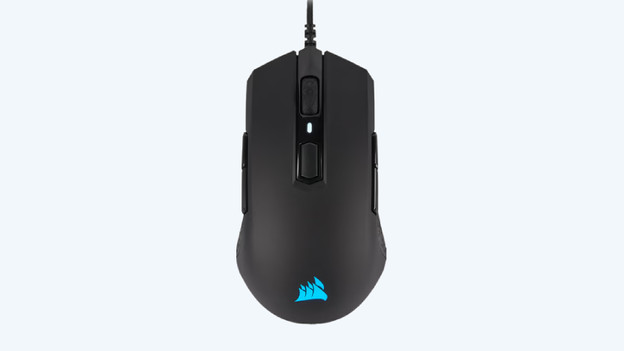
The design tells you whether the gaming mouse is for left or right-handed people. Most gamers want a right-handed mouse. For this group of gamers, there's a lot to choose from in terms of design, number of buttons, and RGB lighting.
Left-handed
A small part of the gamers is looking for a left-handed gaming mouse. There aren't many options when it comes to left-handed gaming mice. Are you a left-handed gamer and can you not find a left-handed gaming mouse? You can choose a symmetrical gaming mouse as well. This mouse is suitable for both left and right-handed people, and often has extra buttons on both sides.
How do you connect your gaming mouse?
Wired
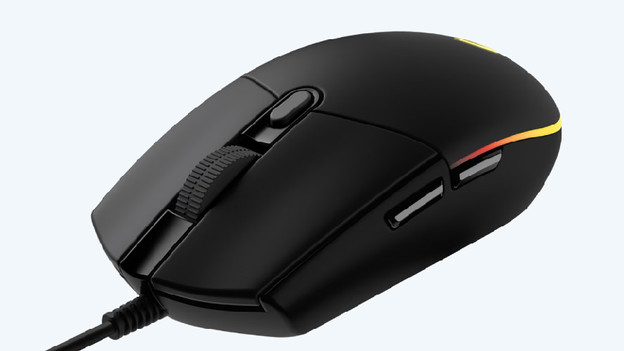
You connect a wired gaming mouse to your PC or laptop with a cable. This is often a USB-A or USB-C cable. With this, you'll always have a stable connection while you play games. You do have less freedom of movement because you're tied to a cable while you game.

Wireless
You connect a wireless gaming mouse via a USB dongle or via Bluetooth. This offers a lot of freedom of movement while you play games. A wireless gaming mouse works on batteries, which means you have to charge the mouse when the battery runs empty or replace the battery.

How do you choose the right DPI?
DPI stands for dots per inch and determines the sensitivity of your gaming mouse. The higher you set the DPI, the faster and more accurate your mouse will respond to small movements. Which DPI you need differs per game. Shooters like Counter-Strike and Call of Duty often require a lower DPI, because this allows you to aim more accurately. You do need a good mouse pad and mouse for this, so you can make large movements. If you increase the DPI, you can make smaller movements. Take your screen size into account too. With an Ultra Wide monitor, you want to use a higher DPI than with a 21-inch monitor.
How many buttons do you need?

2 thumb buttons
With 2 extra thumb buttons, you can respond quickly while you game. You can assign 2 in-game actions to these thumb buttons. That's ideal for FPS games. With regular use, you can use the button to go to the previous page on Google for example.

Up to 9 buttons
Do you play many different types of games? Choose a gaming mouse with 2 to 9 extra buttons. This gives you enough buttons for any type of game. You'll be able to assign multiple in-game actions to various buttons, but they won't be in the way during regular use.

Side panel
Do you mostly play MMO/MOBA games like World of Warcraft? A gaming mouse with a side panel is ideal for this. You have 9 to 12 extra buttons on the side that you can assign in-game actions to. Thanks to this, you can quickly respond with all your attacks or spells.
Article by Prescious
Gaming Expert.