Written by Job
Edited on
23 June 2025
·
13:48
How do you choose an external hard drive?
With an external hard drive, also known as an external HDD, you can store files from your laptop or PC. That way, you can store backups, games, or photos and videos with an external HDD. You can quickly transfer these files to a different device to save storage space. We'll explain what to keep in mind when you choose an external hard drive.

Choose external hard drive
It's important to know which files you want to place on the external HDD. You need more storage space for large games than you need for a folder with a couple of work files, for example. Ask yourself the following questions when you choose an external hard drive:
- How much storage capacity do you need?
- Which size do you need?
- Which speed do you need?
- For which operating system is your hard drive compatible?
- Which connectors does the external hard drive have?
- Which accessories do you need?

How much storage capacity do you need?
Exterenal hard drives have a storage capacity from 1TB to 24TB. How much storage space you need depends on the type of files you store. Want to store movies with a good image quality or games? Choose an external HDD of at least 5TB. You can use external HDDs with more than 10TB for photo and video editing. That way, you can store many raw video files that you can edit later. For a folder with vacation photos or Office documents, 1 to 4TB storage is often enough.
Summary of storage capacity
| 1TB | 4TB | 8TB | 16TB | 24TB |
|---|---|---|---|---|
| 100 hours of Full HD movies | 400 hours of Full HD movies | 800 hours of Full HD movies | 1600 hours of Full HD movies | 2400 hours of Full HD movies |
| 30 hours of 4K movies | 120 hours of 4K movies | 240 hours of 4K movies | 480 hours of 4K movies | 720 hours of 4K movies |
| 10,000 music albums | 40,000 music albums | 80,000 music albums | 160,000 music albums | 240,000 music albums |
| 23 medium demanding games | 92 medium demanding games | 184 medium demanding games | 368 medium demanding games | 552 medium demanding games |

What size do you need?
HHDs come in 2.5 and 3.5-inch sizes. Laptops usually use a 2.5-inch external HDD and desktops a 3.5-inch hard drive. A 2.5-inch external HDD is easier to take with you and is powered via USB. For a 3.5-inch hard drive, you often need a power cord. A 3.5-inch external HDD has more storage space. If you only store files every now and then and often need the hard drive on the go, choose a 2.5-inch hard drive. A 3.5-inch hard drive is suitable if you store many large files, such as games or videos.
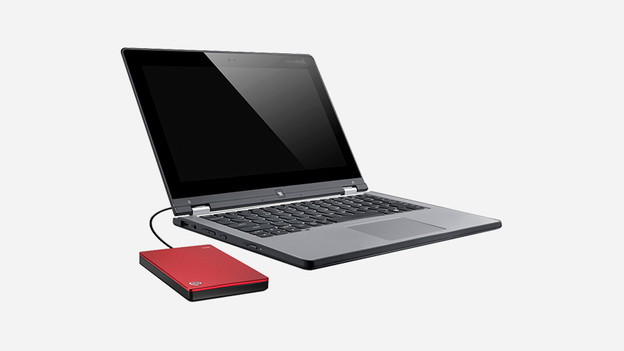
What's the speed of an external HDD?
We express the speed of an external HDD in rotations per minute (RPM). The more rotations, the faster the read and write speed of the hard drive. There are external HDDs from 5400RPM to 7200RPM. A 5400RPM hard drive is slower, but uses less energy. This means it becomes less warm and it's more silent. The read and write speed are important as well. These determine how fast you can transfer and open documents. We express this in MB/s.
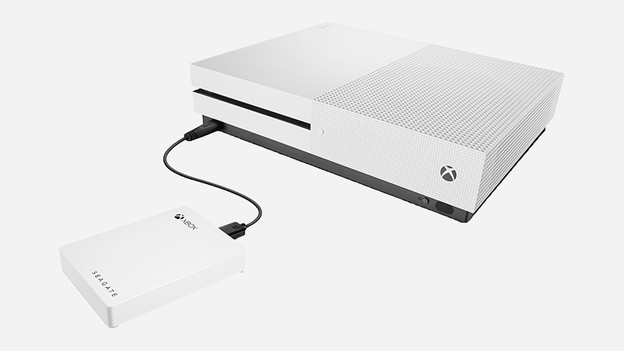
For which operating system is the hard drive compatible?
Compatibility means for which operating system a hard drive is formatted. External HDDs are sometimes set up for certain systems, such as Windows, Mac, PlayStation, or Xbox. Make sure to look at the compatibility of an external hard drive before you buy one. You can use an external HDD for Mac with a Windows computer, for example. You have to reformat it first. If you reformat an external HDD, you can only use it for the new operating system.

Which connectors doen an external hard drive have?
The most common connector for external HDDs is micro USB 3.0. This is a flat connector that consists of 2 parts. USB-C is the latest USB port and will be the default version in the future. Mainly hard drives for Mac and Windows have a USB-C connector. The USB version indicates how fast the hard drive is. USB 3.1 is 2 times faster than USB 3.0, for example. The manufacturer includes a power cord with most external HDDs.
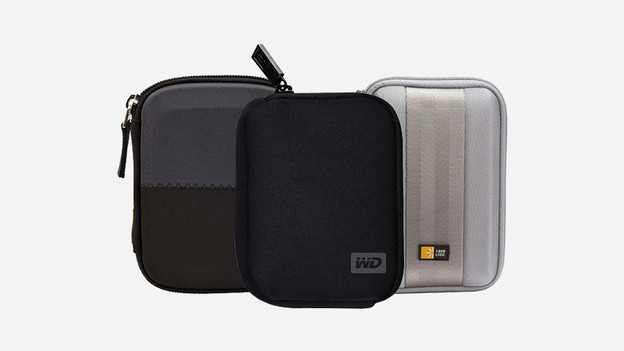
What accessories do I need?
With a case, you can protect your hard drive from damage. That way, you can take it anywhere without damaging it. You also keep out dust and the case protects from shocks, bumps, and water damage. Be sure to check the size of your hard drive before you buy a cover.