Written by Laurence
Edited on
10 January 2025
·
15:56
How does your LG TV remote work?
The remote of an LG TV has several buttons with icons and abbreviations. On this page, you can read what function these buttons have. Does your remote look different from the model in the example? No problem, the buttons generally have the same functions.
New LG remote
With new LG television, you'll get a Magic Remote instead of a standard remote. Did you buy a TV with a Magic Remote? Read our advice on this remote.
TV, CC/SUB, Quick settings

TV
Use this button to switch between a TV or radio signal

CC/SUB
This lets you add subtitles on the screen. The available subtitles depend on what you're watching.

Quick settings
When you press this button, the screen displays a row with the most important settings. This way, you can quickly adjust the image or sound settings.
Search, Input, Number buttons

Search
This opens the search window. Here, you can type in specific search terms, like your favorite movie or website.

Input
With this button, you can choose between connected playback sources. Easily switch between 2 HDMI devices, such as your digital decoder and your gaming console, for example.

Number buttons
If you press the 0 for longer than 3 seconds, you open a list with numbers on the screen. Go on by assigning every number with a TV channel or app. When you press a number button for longer than 3 seconds afterwards, you'll go to your favorite channel or app right away.
List, Q. View, Fav

List
With this button, you open a list with saved programs.

Q. View
Q. View stands for quick view. When you press this, the TV switches to the channel you watched most recently.

Fav
Fav is an abbreviation of favorite. This opens a list with programs you've marked as favorite.
Mute, Home screen, Live zoom

Mute
This lets you switch the sound on or off. If you press and hold the button for longer than 3 seconds, you open the accessibility menu. You can change the subtitle settings in this menu, among other things.

Home screen
This button opens the home screen. In this screen, you can easily switch between your settings, connected sources, smart functions, and TV channels. If you press the button for more than 3 seconds, you'll open a list of your most recently opened apps and sources.

Live zoom
This lets you zoom in on part of the image. With the green button on the remote you pause the image and with the yellow button you take a screenshot. You can look at these screenshots later on in the Photo or Video menu on the TV. This function is available for TV channels and for connected sources, such as your gaming console.
SAP, Rec, Colored buttons

SAP
This lets you change the spoken language of a TV program, but only if the program supports this function.
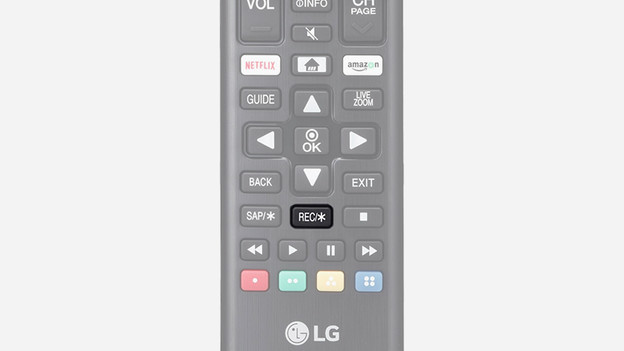
Rec
This lets you record a TV program.

Colored buttons
With this button, you can choose between various options in the menu. Which options that are differs per menu. You can only use these buttons when they're given as an option in a menu of an app, for example.
Article by Laurence
Television Expert.