Written by Jesper
Edited on
21 April 2023
·
14:42
How do you reset a Honor smartphone?
Does your Honor smartphone freeze on a regular basis, or do you want to sell it? It's useful to perform a reset. That way, you delete all your personal information and files from the phone. In addition, you can restore the factory settings on your phone by with a reset. You can easily reset your Honor smartphone by going through these 6 steps.
Soft reset
A soft reset is often the solution for smaller problems. A reset like this helps when your smartphone is frozen or your keyboard doesn't respond anymore, for example. Nothing will be deleted during a soft reset.
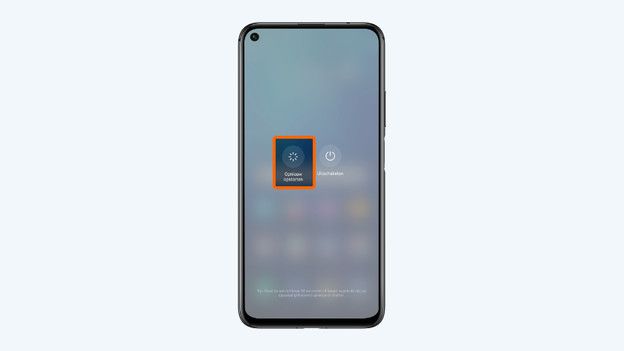
- Press and hold the standby button for 4 seconds. You can find this button on the right side of your Honor smartphone.
- Choose Restart.
1: press and hold the standby button.
2. Choose Restart

Before you start: create a backup
When you reset your Honor device, you'll remove all your personal information and files. It's a pity if you lose all your photos, videos, and contacts. That's why it's good to make a backup before you reset your device. Store your information in the cloud or on a memory card, for example.
All steps on the screen
Prefer watching over reading? We've listed all the steps in this short video.

Step 1: make sure the device is charged
Resetting your device takes a lot of power. You don't want to run the risk that your phone shuts down during the reset. That's why you should make sure your phone is at least 60% charged. You can also choose to leave your phone in the charger during the reset.
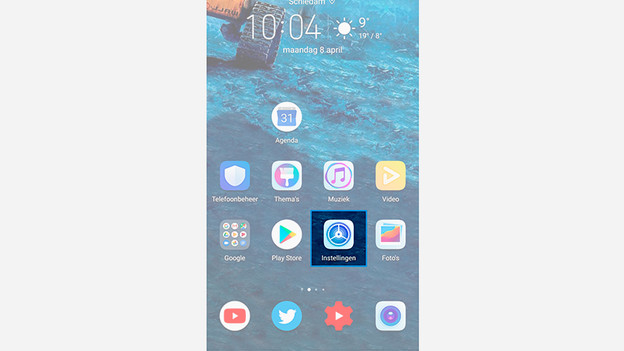
Step 2: choose settings
Go to 'Settings' by tapping the gearwheel icon.
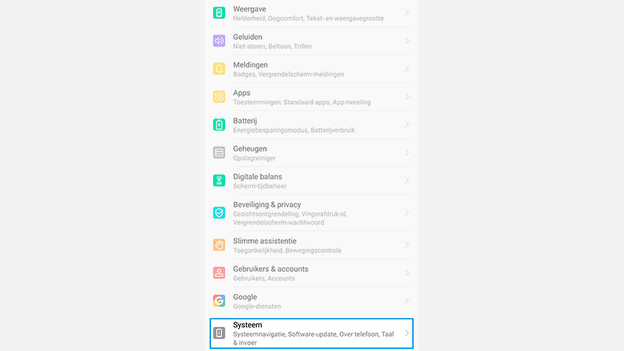
Step 3: choose system
Scroll down and tap 'System'.
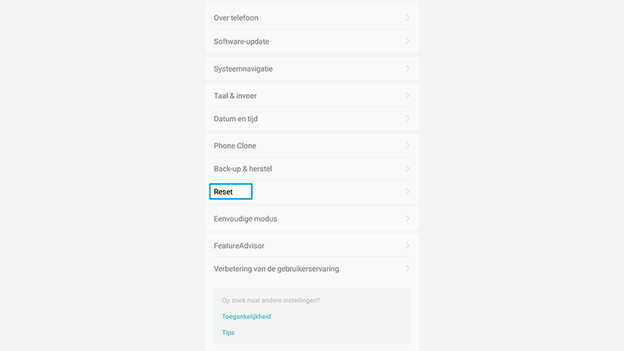
Step 4: select reset
Choose 'Reset'
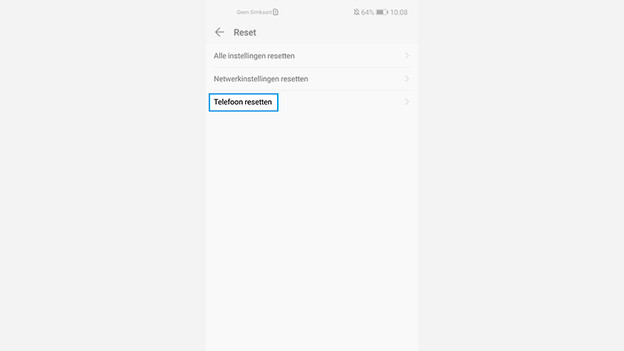
Step 5: reset phone
Tap 'Reset phone'.
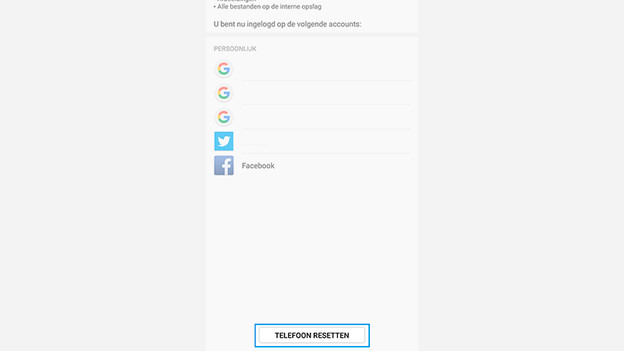
Step 6: reset and confirm
Tap 'Reset phone' at the bottom of the bar. Enter your password to confirm you want to reset your phone. The reset will start right away.