Written by Charlotte
Edited on
12 March 2024
·
16:01
How do you solve error messages on Philips fully automatic coffee machines?
Your Philips coffee machine displays an error code. In this article, we'll list the most common errors and explain how you can easily solve them yourself.
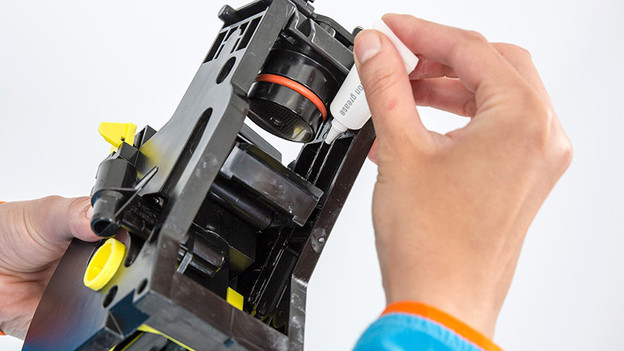
Solving error codes
Your coffee machine no longer works as usual and an error code appears. We'll explain how you can solve the following error codes:
- Error code 01: blocked coffee funnel.
- Error code 03: blocked brew group.
- Error code 04: wrongly inserted brew group.
- Error code 05: problems with the water tank or tubes.
- Error code 14: overheated machine.
Error code 01: the coffee funnel is blocked
Error code 01 tells you that the coffee funnel is blocked. The solution is to clean the coffee funnel. This is how you do that:
- Turn off the coffee machine and remove the plug from the socket.
- Remove the brew group from the appliance.
- Open the lid of the pre-ground coffee compartment.
- This compartment is right next to the bean hopper. Insert the handle of a tablespoon into the compartment and move it up and down until the clogged ground coffee falls down. Make a cup of coffee and check again whether the ground coffee container is clogged.
Error code 03: the brew group is dirty or not properly lubricated
Error code 03 tells you that the brew group is dirty or not properly lubricated. You can solve it like this:
- Turn off the coffee machine with the main switch.
- Rinse the brew group with clean water and let it dry.
- Lubricate the brew group with silicone grease.
- Place the brew group back in the machine.
- Turn on the machine.
Error code 04: the brew group hasn't been inserted properly
Error code 04 tells you that the brew group hasn't been inserted properly. You can solve it like this:
- Turn off the coffee machine with the main switch on the back of the machine.
- Remove the brew group from the machine.
- Check if the brew group is set to the right setting.
- Place the brew group back in the machine.
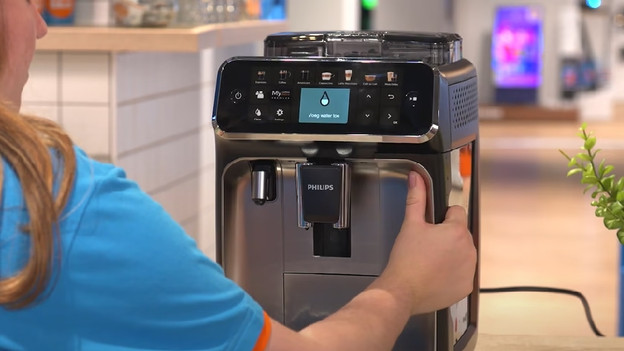
There are coffee beans underneath the water tank.
- Turn off the machine and unplug it.
- Check if the water tank is clean and make sure there aren't any coffee beans in the space under the water tank.
- Place the water tank back in the coffee machine.
- Turn the machine on again and make a cup of coffee. This is how you'll know whether the problem was fixed.
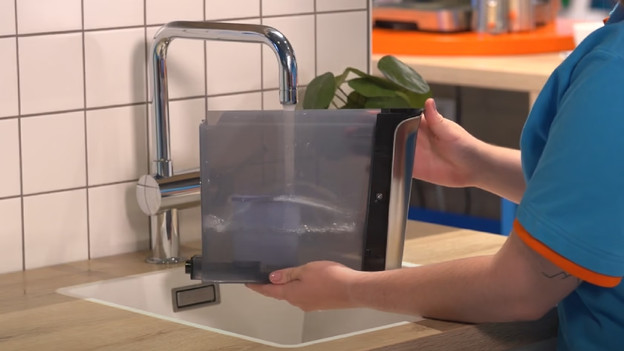
The water tank is clogged or not properly installed
- Take the water tank out of the machine and remove the water filter from the water tank.
- Place the water tank back onto the machine without the filter and make a cup of coffee.
- If this works, you can put the water filter back the right way.
- Doesn't this work? The water filter is blocked and you'll have to replace it with a new one.
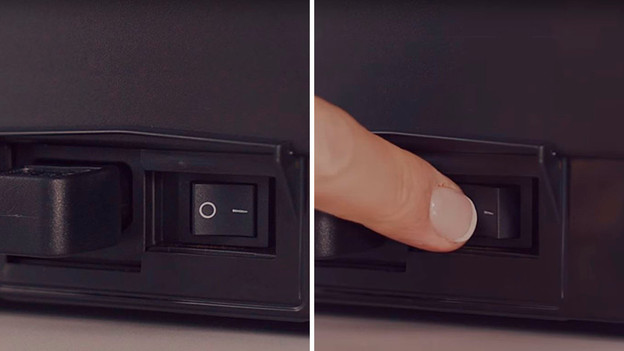
Error code 14: the machine is overheated
Error code 14 means that the machine is overheated.
- Turn off the machine.
- Unplug the connector from the socket.
- Let the coffee machine cool down for 30 minutes.
- Plug the connector back into the socket after 30 minutes.
- Turn the coffee machine back on.
Other error codes
Do you see error codes that aren't listed in this article? Contact Philips. Your machine may have to be repaired.
Article by Charlotte
Coffee Machine Expert.