
Written by Lucinda
Edited on
1 October 2025
·
11:04
How do I use Beats Powerbeats Pro with Apple iPhone?
Beats Powerbeats Pro earbuds work together perfectly with the Apple iPhone. In this article, I'll explain how to connect these wireless earbuds to an Apple iPhone. In addition, you can read how to disconnect the Powerbeats Pro as well.
Connect Powerbeats to the Apple iPhone
To connect the Powerbeats Pro to the iPhone, you have to follow a few steps:
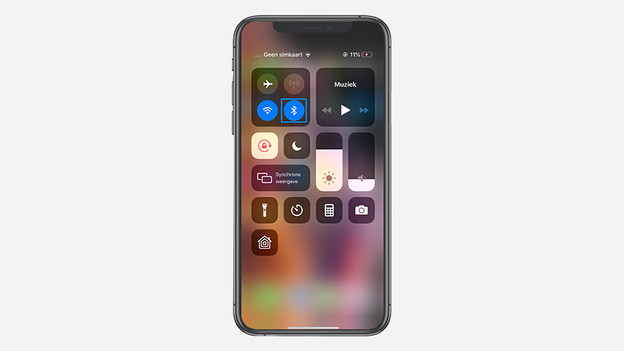
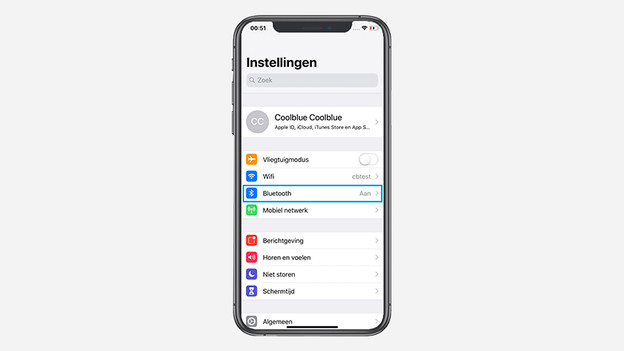
1: Turn on Bluetooth on the iPhone via the settings.
2: Put the Powerbeats Pro in the case and leave the lid open.
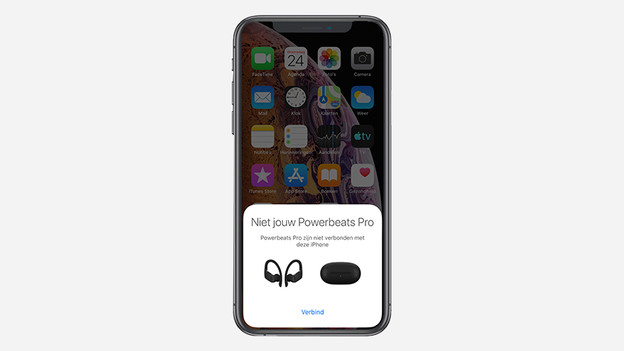
3: Hold the open case near my Apple iPhone and a screen that says 'Connect' appears automatically. I select it.
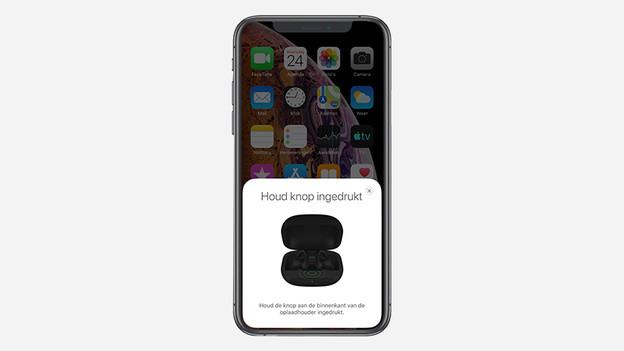
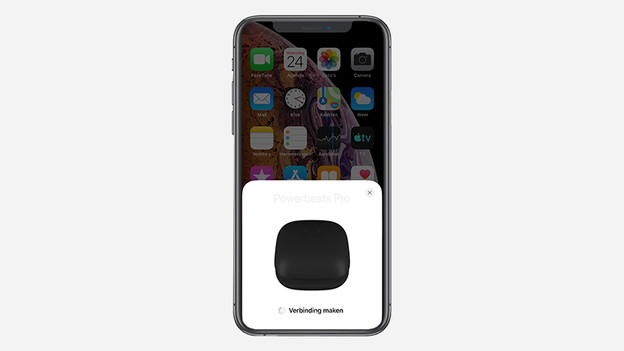
4: Press and hold the button on the inside of the case. The screen indicates that it's connecting.
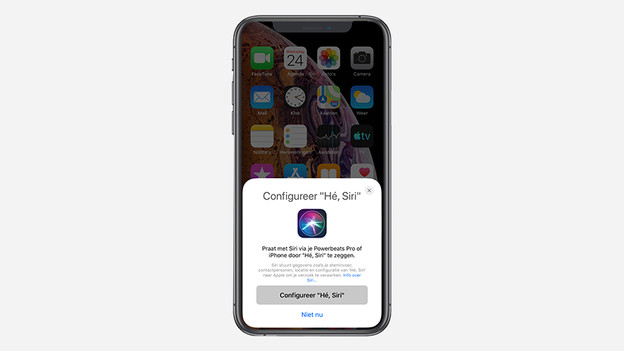
5: My iPhone asks to configure Siri. I choose to do this at a later time and tap 'Not Now'.
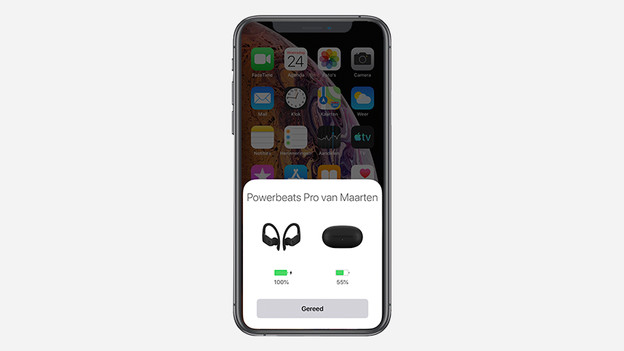
6: Your Powerbeats are connected.
Turn on Bluetooth
Select 'Connect'
Hold down the button
The Powerbeats Pro are connecting
Select 'Not Now'
Powerbeats Pro are connected
Disconnect Powerbeats Pro from the Apple iPhone
If you want to disconnect the Powerbeats Pro from your iPhone, you have to follow the following steps:
1: Go to the settings on my Apple iPhone and choose 'Bluetooth'.
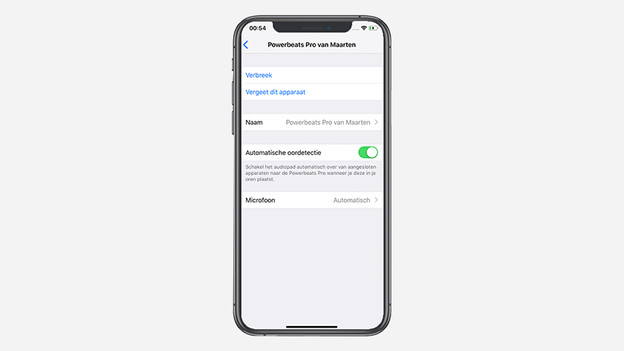
2: You see that my Powerbeats Pro are currently connected. I tap the blue 'i' to go to the menu of the Powerbeats Pro.
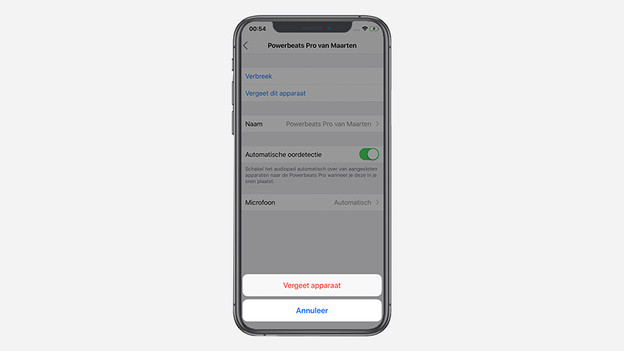
3: Select 'Forget this Device' and confirm with 'Forget Device'.
4: The Apple iPhone now asks to confirm that I want to remove the device from my iCloud.
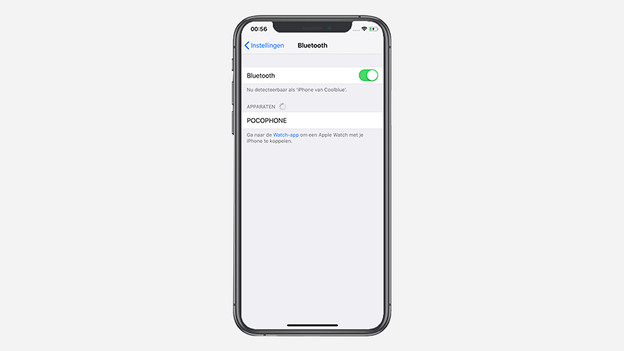
5: The Powerbeats Pro have now disappeared from the list and are disconnected from my iPhone.
Select 'Bluetooth'
The menu of the Powerbeats Pro
Confirm with 'Forget Device'
Confirm with 'Forget Device'
Beats Powerbeats Pro are disconnected

Article by Lucinda
Apple Expert.

