Written by Caitlin
Edited on
27 January 2025
·
13:10
How do you solve error codes on Siemens and Bosch ovens?
If there's something wrong with your Bosch or Siemens oven, it'll display an error code. On this page, you can find the meaning of common Bosch and Siemens error codes, and we'll tell you how to solve them.

Siemens and Bosch error codes
In this article, we'll tell you how to solve the most common errors yourself.
- Error code 000: product is too hot
- Error code E0532 / E05-32 / Er1: buttons are stuck
- Error code E5116: air in the system
- Error code E6200: problem with the fan
- Error code E0511 / E8401: problem with temperature sensor
- Error code E115: temperature inside too high
- Button / child safety lock
- Demo mode

Error code 000
On the screen of your oven, you see the error code 000 blink. That means the appliance isn't fully cooled down. That's easy to solve. You only have to wait for the appliance to cool down completely.

Error code E0532 / E05-32 / E011
If you see error code E0532, E05-32, or E011, a button has been pressed to long, or it's stuck. You can solve this by pressing the buttons one by one.

Error code E5116
Do you turn on the oven for the first time? There's often still some air in the system.
- Start the steam or regeneration mode, and let it run for 5 minutes. Do you still see the error code? Do it again.
- Check the steam parts for damage or traces of moisture. Is that the case?
- Look for the leakage, and chick if you can replace that part.
- Adjust the settings to the water hardness and descale the appliance.

Error code E6200
If you see the error code E6200, there's a problem with the fan in your oven.
- Check if other object block the fan.
- Check if the fan is screwed tightly to the wall, and make sure it's straight and not bent.
- Check if the wiring of the fan is connected properly.
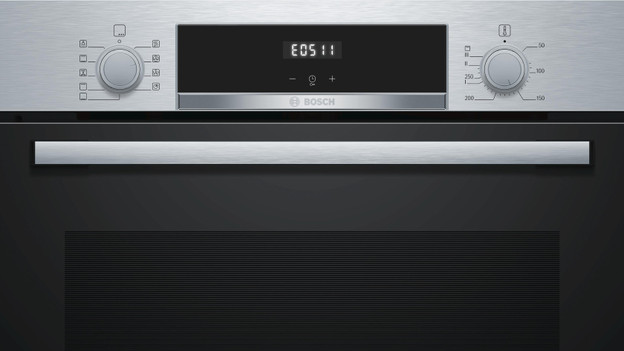
Error code E0511/E8401: problem with the temperature sensor
If you see the error code E0511 or E8401, the temperature sensor has an error. Turn the oven off for about 20 minutes, so the sensor resets. Does the error code reappear when you turn it on after this time? In that case, the printing surface has an error. Have this replaced.
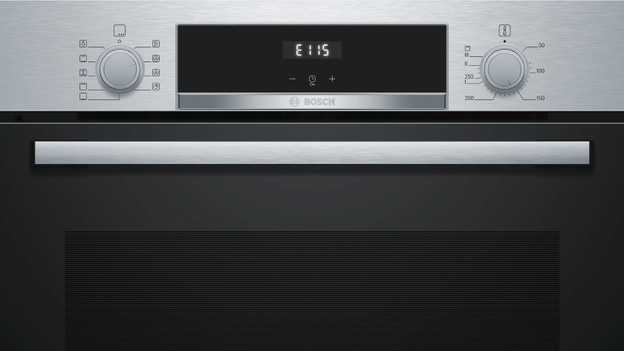
Error code E115: temperature inside too high
Error code E115 means that the temperature inside the oven is too high. Turn the oven off for at least 30 minutes, so it can cool off. Because it's too hot inside, the door often won't open during this error. This isn't an error, but extra protection against the heat.

Button / child safety lock
Do you see the image of a padlock or key on the display? That means the child safety lock of the appliance is activated. Press the button with the key symbol until the symbol goes away. The buttons are now unlocked.
Demo mode
If the oven doesn't heat up, but you can use the buttons, it means it's in demo mode. In the demo mode, the oven works without heat.
- Remove the connector from the socket for about 20 seconds, and then go to the settings in the menu.
- Press 'Continue' until you see the demo mode. Turn the mode off and save the settings.
Article by Caitlin
Oven Expert.