
Written by Lucas
Edited on
8 May 2023
·
07:55
Getting started with your Jabra earbuds
With your new Jabra earbuds, you can listen to your music wirelessly or fully wirelessly. In this article, we'll explain how you can get started with your new earbuds as best as possible. We'll explain the function of the app and tell you how to best put the earbuds in your ears, for example.

Getting started with your Jabra earbuds
With these 4 steps, you can get started with your Jabra earbuds as well as possible.
Step 1: connect to your phone
Step 2: put in your earbuds
Step 3: make sure you have a good connection
Step 4: download the app

Step 1: connect to your phone
To enjoy your music wirelessly, you have to first connect the earbuds to your smartphone. The earbuds are often in the discoverable mode right away. Now you only have to open the Bluetooth settings on your smartphone and choose your earbuds from the list. It doesn't work? Read the article below, where we explain how you can do this step by step.
Step 2: put the earbuds in your ears
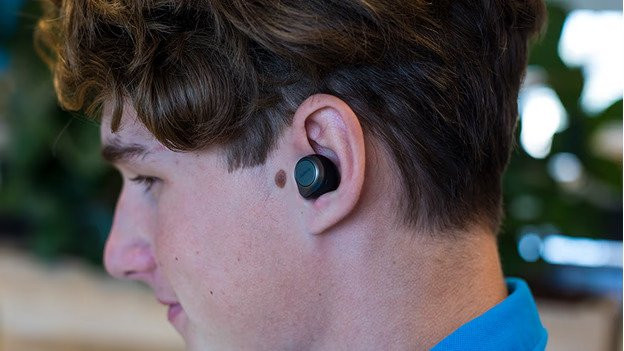
You can put your earbuds in your ears in different ways. Most earbuds go into your ear canal directly, but they can also include a ear hook or ear hook. The Jabra earbuds are in-ear and go directly into your ear canal. Jabra includes multiple earbud sizes, so you can test which ones are best for your ear.

Step 3: make sure you have a good connection
It's important that the connection is stable, otherwise the sound can stutter. You can try the following for a stable connection:
- Turn off all Bluetooth devices around you.
- Don't stand too close devices like fridges and microwaves, because these can influence the Bluetooth signal.
- Keep the smartphone in your front pocket or hands, not in your back pocket or bag.
- Turn the earbuds off and on again.
You can also reset the earbuds. Check the manual of your product how to do this.
Step 4: download the app
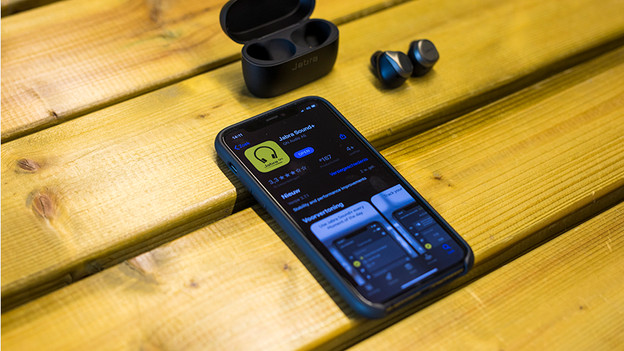
With the Jabra Sound+ app, you can download an update for your earbuds, and you can change the settings. You can adjust the sound via an equalizer, so you listen to a personalized sound reproduction. We'll explain to you how to adjust the sound.

