
Written by Maurits
Edited on
6 October 2025
·
10:43
How do you adjust the sound of your Jabra earbuds or headphones?
Want to adjust the sound of your Jabra earbuds or headphones? Do so with the Jabra Sound+ app. Here, you can adjust the sound via an equalizer. Read how you can do this and what else you can adjust in this article.
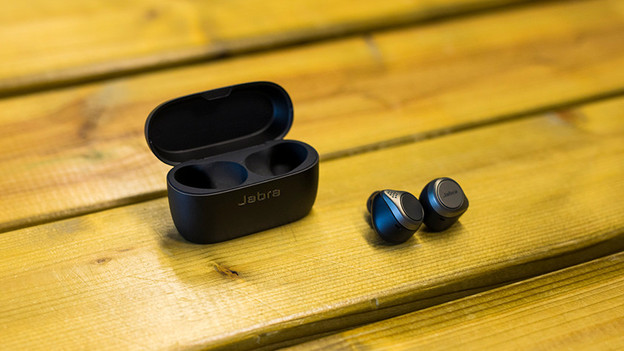
Adjust the sound in 6 steps
Find out how to adjust the sound of your Jabra earbuds or headphones in 6 steps.
Step 1: download the Jabra Sound+ app.
Step 2: connect the earbuds to the app.
Step 3: adjust the frequency bands.
Step 4: choose a preset.
Step 5: adjust the noise canceling.
Step 6: switch on spatial audio.

Step 1: download the Jabra Sound+ app
Open the App Store on your iPhone or the Play Store on your Android phone and find the Jabra Sound+ app. You need the equalizer in this app to adjust the sound of your earbuds or headphones.

Step 2: connect the earbuds or headphones to the app
Download and open the app. Go through the steps on your screen to connect the earbuds or headphones to the app. If you haven't connected the earbuds to your smartphone via Bluetooth yet, make sure to do so first. Read this article to find out how.

Step 3: adjust the sound via frequency bands
When you open the app, you have to scroll down a bit. Here, you'll see the equalizer. The left side represents the bass, the middle represents the mid tones, and the right side the treble. You can move the slider up or down to highlight or tone down certain tones.

Step 4: choose a preset equalizer
Having trouble setting up the equalizer yourself? If you scroll down, you'll see the preset equalizers from Jabra. The names indicate the type of sound the equalizers provides. Choose Bass boost if you want to increase the bass, for example.

Step 5: adjust the noise canceling
Want to control how much ambient noise you hear? Choose from 3 ambient sound modes in the Jabra Sound+ app. Go for 'Active Noise Cancellation' if you don't want to hear ambient noise. With 'HearThrough', you can hear the ambient noise clearly. Did you choose 'Off'? Ambient noise will be muffled. In the last 2 modes, you'll hear your music less clearly than when you have noise canceling switched on.

Step 6: switch on spatial audio
When you switch on 'Spatial Sound for media', you'll hear spatial audio. With this technology, it seems like music is playing around you, instead of in your ears. With the Jabra Elite 8 Active and Jabra Elite 8 Active Gen 2, you can choose to switch this function on and off. Do you have the Jabra Elite 10 and Jabra Elite 10 Gen 2? Choose 'Head Tracking off' if you want the music to move with you. If you want the sound to stay in place, choose 'Head Tracking on'.

