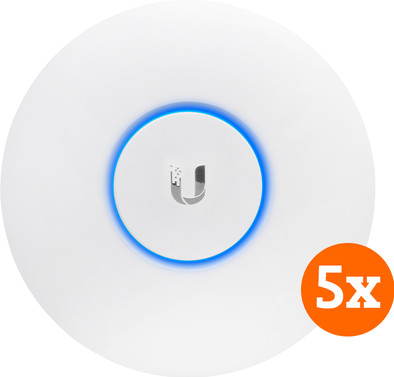
Ubiquiti UniFi AP AC Lite 5-Pack
Never available again
View alternatives in the sidebar
According to our access point expert
The Ubiquiti UniFi AP-AC-LITE access points allow you to create a WiFi hotspot on a campus, in a hotel, shopping mall, or office. Connect the access point to the internet via a network cable, and you'll be able to safely connect your smartphones, tablets, laptops, and other WiFi devices to the wireless network. As the UniFi is powered through the network cable, you don't have to place it near a socket. Fix the mounting system to the ceiling, and click the light access point into it. There's no need for a separate controller, since you can control the access points from your PC, Mac computer, or tablet via the cloud using the UniFi software. Set up several different wireless networks, each with their own rights. This way, you can for example give employees and students access to shared files, but not guests.
Note: if you're planning to connect the access point to a PoE switch, make sure that this switch supports 24V passive PoE.
Type of access point | Indoors | |
|---|---|---|
Number of access points | 5 | |
Frequency bands | Simultaneous dual-band | |
Ethernet speed | Gigabit Ethernet (1000Mbps) | |
PoE support | ||
Mounting surface | Ceiling, Wall | |
5GHz band speed | 867 Mbit/s | |
Seamless roaming |
5 stars
175
4 stars
92
3 stars
4
2 stars
2
1 star
1
Range
Installation ease
Speed
Design
Newly built house (2017) where wifi does not seem to be able to get through walls and floors. So now on every floor (60m2) a UniFi AP-AC-LITE (UTP wired) and seamless WiFi everywhere, and fast. Installing on PC (W10) was difficult and turned out to be 32 bits Java, this had to go to 64.
Ed
9 September 2017
Automatically translated from Dutch
Previously I bought a UniFi PRO to now expand with a LITE. I already had the controller up and running, so installing the LITE was really a push of a button. All settings immediately transferred from the PRO to the LITE. It was almost unreal.
Now full coverage with 5GHz in the house (attic still runs on Cisco AP). Both UniFi APs hang downstairs. Despite the 5GHz band, the signal still passes through the concrete floor very well. Signal remains excellent, speed goes to 60-70%.
With the PRO I get a 160 Mbit/s download (Ziggo all-in-1 200 Mbit/s subscription), while the LITE does not exceed 100 Mbit. Both on 5GHz of course. I didn't expect this difference in APs to be so big in practice.
In short, excellent product. The added value of UniFi is in the multiple APs and the accompanying Seamless roaming. If you already want to work Stand Alone, I would recommend the PRO and not the LITE. LITE does not have the ability to scan the radio bands and the speed is slightly lower. Furthermore, the LITE has the same controller settings as the PRO (via UniFi Controller Windows application). I think it's great, but can be a bit too much of a good thing for laymen.
Jordie Haverkamp
25 November 2017
Automatically translated from Dutch
Great access point. Setting it up will not be easy for everyone, although it is quite intuitive in combination with the UniFi controller software on the Ubiquiti website.
The coverage of the 2.4Ghz network is top notch. Better than when I was still using the Netgear R7500 (which is much more expensive and offers fewer options).
Normally a movie on Netflix would be interrupted after some time due to an unstable signal. And no, that had nothing to do with the other networks in the area (Channels). With the UniFi AP AC lite I no longer have that problem. Apps from the playstore are also downloaded much faster than usual.
The range of the 5Ghz network is of course slightly less, but well... a higher frequency always means a shorter range as far as WiFi is concerned. The range is certainly not bad and functions well.
The AccessPoint offers the BandSteering option, so you can automatically send someone who uses the WiFi to the 5Ghz network. There are also countless other options, such as a guest network in combination with a login portal.
Here at home I now have 1 AP in use and there may be more. For now it works fine and the house needs new cabling before new APs can be connected. The AP is powered via PoE and the internet via the Ubiquiti EdgeRouter, an excellent combination.
Don't be put off by the price of this device, it's really worth it.
If you're looking for a good business WiFi solution, you should definitely consider Ubiquiti's APs. Via the UniFi controller it is very easy to add new APs and to connect and manage large numbers of APs.
In short: Excellent successor / replacement for the Netgear R7500 (whose smaller brother today suddenly became vulnerable to hackers) in combination with the Ubiquiti EdgeRouter X. Definitely worth the money.
Techtoppie
10 December 2016
Automatically translated from Dutch
With Coolblue Extended Warranty, you are protected against costs due to quality defects of your access point for the next 5 years. During the entire term, we will reimburse up to the original purchase price. You can easily add the Extended Warranty in your shopping cart.

€ 19,99
one-timeAdd your access point to your shopping cart. In the next step, you can add the Extended Warranty. You can exchange or return your purchase for free within 30 days.
Product number | 724410 |
|---|---|
Manufacturer code | UAP-AC-LITE-5 |
Brand | Ubiquiti |
Warranty | 2 years |
Processing of your defect | Carry-in warranty |
Speed class | Basic | |
|---|---|---|
Number of access points | 5 | |
Quality of Service (QoS) | ||
Suitable for IPv6 | ||
Guest network | ||
Bridge option | ||
Repeater function | ||
IGMP Snooping | ||
Beamforming | ||
Seamless roaming | ||
Can be expanded with extra stations | ||
On/off switch | ||
Mounting possible | ||
Mounting surface | Ceiling, Wall |
WLAN security | 802.1X, WEP, WPA, WPA-PSK, WPA2, WPA2-PSK | |
|---|---|---|
Number of WiFi antennas | 2 | |
Frequency bands | Simultaneous dual-band | |
WiFi speed | AC1200 | |
5GHz band speed | 867 Mbit/s | |
2.4GHz band speed | 300 Mbit/s | |
External antennas | ||
Signal transmission | Omnidirectional | |
Antenna connection type | Without connector | |
Replaceable WLAN antennas | ||
MAC address filter | ||
MIMO | ||
MU-MIMMO |
Ethernet speed | Gigabit Ethernet (1000Mbps) | |
|---|---|---|
Number of Ethernet ports | 1 | |
WAN ports | 0 | |
PoE support | ||
Type of PoE | 24V Passive | |
Number of PoE ports | 1 |
Type of access point | Indoors | |
|---|---|---|
Material | Plastic | |
Height | 16 cm | |
Width | 16 cm | |
Depth | 3,15 cm | |
Weight | 170 g | |
Color | White |