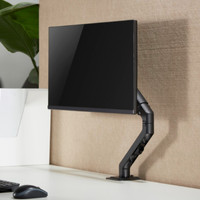
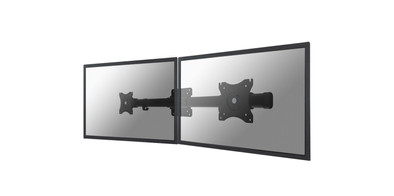
Neomounts FPMA-CB100BLACK Monitor Adapter Crossbar Black
Never available again
View alternatives in the sidebar
View alternatives in the sidebar
Product number | 731322 | |
|---|---|---|
Manufacturer code | FPMA-CB100BLACK | |
Brand | Neomounts | |
Warranty | 2 years | |
Processing of your defect | Carry-in warranty |
Color | Black | |
|---|---|---|
Weight | 4 kg | |
Material | Steel |
Mounting surface | Wall | |
|---|---|---|
Cable management | ||
Mount flexibility | Only swivels | |
Rotates | ||
Adjustable in depth | ||
Maximum weight | 18 kg | |
Minimum screen size | 10 inches | |
Maximum screen size | 27 inches | |
Adjustable in height | ||
VESA mount | 100x100mm, 75x75mm | |
Distance to the wall | 15 cm | |
Swivel | 360 ° | |
Number of clamping arms | 2 | |
Ergonomic design | ||
--- NL | No | |
--- BE | No |
anything for a smile
Our digital expert will help you, but it can sometimes make mistakes, like humans do.
According to our monitor arm expert
Work with 2 screens: you can open multiple windows side by side because you have space for 2 monitors.
More space on your desk: you can attach a monitor up to 27 inches to the arm, so your desk stays clear.
Switch screen orientation: you can place your screen vertically or horizontally thanks to the 360-degree rotating monitor arm.
Less smooth adjustment: you need to use more force to adjust it, because this monitor arm doesn't have a gas spring.
Not continuously adjustable: you can’t set your monitor to your preferred eye level, so you work less comfortably.
I bought this bracket to hang my 2 monitors on the wall. The choice is somewhat limited in this angle, because most brackets are aimed at mounting to a desk by means of a mounting bracket. an extra arm. So after some comparisons, opted for this bracket.
Installation went fine, but because I wanted to screw it to the wall, I soon found out that no screws/plugs are supplied for this installation. Furthermore, manual only has an explanation about installation on an extra bracket (which is also not included). Not such a big problem, in the end it's just a matter of drilling a few holes.
I was positively surprised by the adjustability; the monitors hang just far enough from each other (I have 2 x 27") to still provide a good angle. The disadvantage is that you immediately have to choose the right height for the holes in the wall: the bracket only swings horizontally You hardly have any space once the bracket is hanging on the wall.It all works, but sit in front.
Stefan
29 December 2017
Automatically translated from Nederlands
I use this bracket on the wall to neatly align 2 monitors next to each other. The installation is quite simple, although there were no screws and plugs to fix the bracket to the wall.
The plate that is attached to the monitor and then slid to the bracket came up against the wall when I tried to place both (22 inch) against each other later. So I didn't get them right at first. I then placed small spacers near the screws that go into the wall to take the bracket about 7mm more from the wall. This created just a little more space and I could slide the screens tightly against each other.
Inge
9 September 2022
Automatically translated from Nederlands
Does what it's supposed to do!
Jan Thys
28 January 2017
Automatically translated from Nederlands