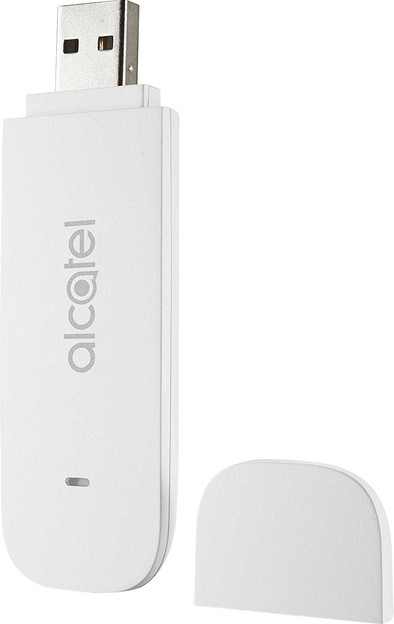
Alcatel LinkKey IK40V 4G Dongle
Never available again
View alternatives in the sidebar
View alternatives in the sidebar
Product number | 777327 | |
|---|---|---|
Manufacturer code | ALC10014 | |
Brand | Alcatel | |
Warranty | 2 years | |
Processing of your defect | Carry-in warranty |
Depth | 8,8 cm | |
|---|---|---|
Height | 1,1 cm | |
Width | 2,8 cm | |
Weight | 38 g | |
Color | White | |
Material | Plastic |
SIM card slot | ||
|---|---|---|
Mobile data connection | 3G, 4G, 4G+ | |
Dual SIM | ||
4G frequency bands | 6 | |
SIM free | ||
Specific Absorption Rate (SAR) category | To be announced | |
Specific Absorption Rate (SAR) category | 0 W/kg | |
Frequencies | 1800, 2100, 2600, 800, 850, 900 | |
SIM card slot type | Micro SIM | |
Compatible with operating system | Windows, macOS | |
SD card slot | ||
Type of SD card | microSD |
anything for a smile
Mobile data connection | 3G, 4G, 4G+ | |
|---|---|---|
SIM free | ||
Compatible with operating system | Windows, macOS | |
SD card slot |
According to our dongle for internet access expert
The Internet dongle has a microSD slot, so you can also use it as USB memory flash drive.
The dongle is suitable for Windows laptops and MacBooks.
You can easily set up the dongle and manage it via Internet.
You can only use the internet connection on the computer with the dongle plugged in.
You need a data subscription to use the dongle.
The Alcatel LinkKey IK40V is a compact 4G Internet dongle that enables you to access the Internet with your laptop anywhere. Plug the dongle into your laptop's USB port, and establish a cellular internet connection everywhere. Depending on your subscription, the maximum speed with your mobile provider is 150Mbps, sufficient for streaming HD videos, sending pictures, or emailing.
5 stars
3
4 stars
2
3 stars
2
2 stars
0
1 star
0
Doesn't work on the latest OS version unfortunately.
Martijn Koek
7 June 2020
Automatically translated from Nederlands
Very suitable 4G dongle via USB 2.0 that boots quickly. I would have liked to see that this model also had 4G + (something that coolblue does proclaim). Unfortunately, this dongle does not support 4G+ (Maximum 150Mbps CAT 4). Furthermore, it does not seem possible to select another APN (Access Point Name) in Profiles, if you do not want a (limited) Firewall or NAT.
Before use, install the program (drivers) that is on the dongle via the Flash section. After this, the dongle is added as a network. You can adjust very little via the web page and the menu consists of a kind of swipe view that looks mainly fancy and offers little functional value.
Tim Franken
22 April 2019
Automatically translated from Nederlands
Too wide, blocking an adjacent USB port
G. Jensma
19 February 2021
Automatically translated from Nederlands