Never available again
View alternatives in the sidebar
According to our NAS expert
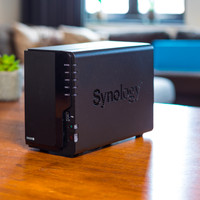
The Synology DS918+ is a business NAS for medium-sized companies. Thanks to the Quad-Core processor and 4GB of RAM, you can make backups of more than 10 connected devices and stream 4K footage directly. If your organisation grows, you can install up to 8GB of RAM in order to connect more computers, or install 2 M.2 SSDs to have even faster access to often-used files. Your company data is protected from internet threats like hackers and viruses, thanks to the AES-256 bit encryption. Do you often work together on the same documents? The NAS stores multiple versions of files, allowing you to quickly undo old changes. You can use the 2 network ports of your NAS to double the throughput speed to 225Mb/s with link aggregation. Use the extensive Synology app store to expand your NAS with functions like IP camera software or support for virtual machines.
Number of hard drive slots | 4 | |
Suitable for hard drive size | 2.5-inch HDD, 2.5-inch SSD, 3.5-inch HDD, [M.2] | |
Internal RAM | 4 GB | |
Processor cores | Quad-Core (4) | |
Built-in hard drive |
5 stars
133
4 stars
50
3 stars
5
2 stars
1
1 star
0
Installation
Energy consumption
Speed
Software
Sound production
Previously used a Linux server at home for years for, among other things, Nextcloud, samba shares, hosting, databases, etc. And although that Linux server was wonderfully smooth with its i7 and 32GB ram (from Coolblue of course), the power consumption was again a considerable disadvantage. The Synology 918+, together with a Ubiquiti USG Firewall and Wireless access point, replaced this and have not regretted it for a moment.
The DSM software is extremely easy to use and Synology's built-in App Store works well. You'll have all your music, movies and documents on the NAS in no time and you can always access your content via the desktop and mobile apps. With a few clicks you can add users, share photo albums with family or friends and create playlists in the Audio manager.
Also nice is of course the possibility to safely distribute all data over the 4 hard disks. If a hard disk breaks, you will not lose all your data.
The possibility to create virtual machines on this NAS is also cool, within a few minutes you have a new operating system running that you can even operate via the web browser. A little more than 4GB of RAM would have been useful for this, but luckily you can expand this.
protip; connect an external VPN server to your NAS and nobody can see which legal torrents you download via the built-in download manager :)
Remo
6 December 2017
Automatically translated from Dutch
General Great NAS for all purposes. Transcoding of 4K movies works fine out of the box. Expanding memory to 16 GB is a piece of cake. This is very useful if you run a lot of apps and virtual machines.
Network capacity. It is a pity that there are only 2 x 1 Gbit connections available. It's as if all the power can't come out well because of that. Possibly unnecessary for many people, but I would consider it the ultimate finisher. Even if only through an optional extension. Of course you can bundle the two gigabit connections, but you only benefit to a limited extent with regard to load balancing. Each connected client will eventually only be able to achieve 1 Gbit speed. With SMBv3 there are now possibilities to send data over two interfaces at the same time, this is called SMBv3 multichannel. However, this can only be configured via the command line. It works fine, as long as the network cards in your PC support it. It makes a lot of difference when copying files, you get about 200 MByte / s. (1.6 Gbits)
Plex support Be careful when working with Plex. You can only download the 32-bit version via the built-in app store. Transcoding does not work or works very poorly with this. Downloading and installing the 64-bit installer package from Plex itself solves this problem.
Jeroen
5 April 2018
Automatically translated from Dutch
Excellent future-proofed NAS can handle streaming 4k videos (although it's useful to throw in some extra memory if multiple users are going to do this). Runs like this for the average user, and for the enthusiast there are tons of options to make sure it does what you want it to do.
At the time of writing (January 2018), however, not all packages (applications that can run on the NAS) are available yet. This is because the new cpu architecture (apollolake) is just in use, however I expect that in the coming months this problem will solve itself through updates from the developers. Most applications can also be installed if you have a little know-how.
In the beginning I had my NAS (in combination with a Seagate IronWolf NAS Disk) in my bedroom. However, I personally find that the sound of the hard disk is not muted enough to leave it there, so you have to find a place where the device can stand.
Michael Sieben
27 January 2018
Automatically translated from Dutch
With Coolblue Extended Warranty, you are protected against costs due to quality defects of your NAS for the next 4 years. During the entire term, we will reimburse up to the original purchase price. You can easily add the Extended Warranty in your shopping cart.
€ 24,99
one-timeAdd your NAS to your shopping cart. In the next step, you can add the Extended Warranty. You can exchange or return your purchase for free within 30 days.
Product number | 794611 |
Manufacturer code | DS918+ |
Brand | Synology |
Warranty | 2 years |
Processing of your defect | Carry-in warranty |
Built-in hard drive | ||
Number of hard drive slots | 4 | |
Suitable for hard drive size | 2.5-inch HDD, 2.5-inch SSD, 3.5-inch HDD, [M.2] | |
RAID | JBOD, RAID 0, RAID 1, RAID 5, RAID 5 + Spare, RAID 6, Synology Hybrid RAID | |
Internal RAM | 4 GB | |
Total number of RAM slots | 2 |
Connection type | Wired | |
LACP Link aggregation | ||
Thunderbolt connector | ||
Number of Ethernet ports | 2 |
NAS functions | Backup server, Download server, FTP server, Media server, Photo server, Surveillance station, VPN server, Web server | |
NAS application center | ||
Plex support | ||
Type of Plex support | 4K (Ultra HD) (2160p), Full HD (1080p), HD Ready (720p), SD (480p) | |
Number of IP camera licenses included | 2 | |
DLNA | ||
UPnP AV support | ||
FTP server | ||
On/off switch | ||
Automatic switch on/off | ||
Kensington lock | ||
Apple Time Machine support | ||
Chromecast support | ||
Suitable for IFTTT | ||
Recommended for use | Making a backup, Media streaming, Store photos and videos |
Processor brand | Intel | |
Processor family | Celeron | |
Processor code name | Celeron | |
Processor cores | Quad-Core (4) | |
Clock speed | 1,5 GHz |
Depth | 22,3 cm | |
Width | 19,9 cm | |
Height | 16,6 cm | |
Type NAS | Upright | |
Color | Black | |
Weight | 2,28 kg |