


anything for a smile
Our choice for a home printer
Beige
|
No extra ink

Better model

5 stars
86
4 stars
46
3 stars
10
2 stars
4
1 star
2
Installation ease
Options
Print quality
With the HP ENVY 6120e, I have a 4-in-1 printer that scans, copies, and even faxes. I save paper by automatically printing on both sides of the paper. The print speed is slow, so I wait longer for larger documents.
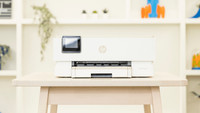
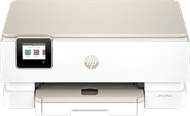
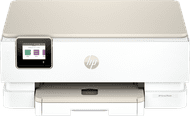
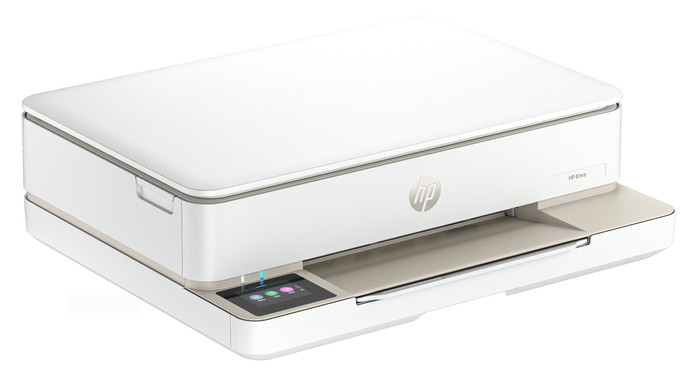
First Impression What immediately strikes me about the HP ENVY 6120e is its size. It easily fits on my 140-centimeter-wide desk. The printer has a sleek design and attractive colors. I quickly set up the printer using my phone and the HP Smart app. Within 5 minutes, I printed my first document.
Many Options The ENVY 6120e is a versatile printer. I can also use it to scan, copy, and even send a fax. I want to save paper, so I automatically print on both sides of the paper. The printer prints on one side of the paper, then automatically turns it over and prints on the other side. I also find the Wi-Fi Direct feature extremely convenient. This is the printer's own Wi-Fi network, which I connect my phone to. This way, I always have a good network connection. Because of the print speed of 7 color pages per minute, I wait a little longer for large color documents. Photos take even longer, up to about a minute per photo.
Printing photos and cards In the paper tray, I swap my regular paper for HP photo paper, which I use to print my photos. The quality of the photos is good enough for vacation photos for your scrapbook or on the refrigerator. If you want to print professional-quality photos, I recommend a photo printer. I also download designs from HP Printables via the HP Smart app. This is an HP website with free, ready-made designs for coloring pages, crafts, calendars, and cards, for example. I still have A6 card stock, which I use to print various cards.
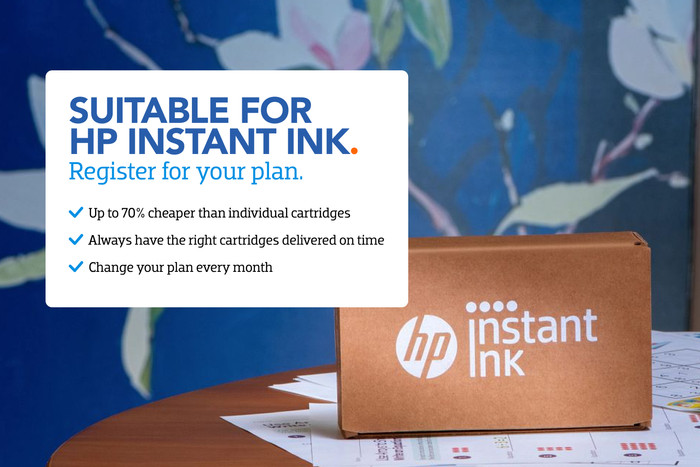
3 months of free ink The HP ENVY 6120e comes with 3 months of free ink via HP Instant Ink. I sign up for this through the HP Smart app. This allows me to print for free for three months and receive new cartridges on time. This way, I don't have to worry about running out of ink while printing. I print a lot of photos, so the ink runs out quickly. With the included starter cartridges, for example, I can print about 15 photos before I get a low ink notification. Individual cartridges are expensive, so Instant Ink saves me a lot on my printing costs.
Sem. Printer specialist.
29 October 2025
Automatically translated from Nederlands
Nice compact all-in-one printer. Good enough for a home printer. Maybe just too light for an office printer. The print quality is actually very good. The print speed is acceptable. Handy that it can also print via 5ghz. It can only print via wifi, has no ethernet port but that is not important to us. The print subscription can be handy.
Positive Looks nice and is compact Price Print quality Can print via 5ghz Good web interface Print subscription can be handy
Negative Short power cord Does not print very quickly
Anna
19 February 2025
Automatically translated from Nederlands
What an upgrade from the 6000 series. I received this printer to test and I am very satisfied. What I am most satisfied with is the digital screen. The 6000 series did not have this which sometimes caused some frustration. Furthermore, the installation was simple and it is nice that the printer can be linked to hp smart for ordering new cartridges and other useful things (photo scanning, etc.). The ink is fine and it prints fast enough for me as a home/garden/kitchen printer. Good price and good quality. Do not want to exchange it for the older version.
Natasha
14 February 2025
Automatically translated from Nederlands
Our digital expert will help you, but it can sometimes make mistakes, like humans do.
According to our printer expert
You can print, scan, and copy with this all-in-one printer.
You can save paper thanks to the automatic duplex printing feature.
You can connect your device directly to the printer with WiFi Direct.
An A4 printer only prints on A4 and smaller sizes, not on A3 or A3+ paper.
You can't automatically scan or copy a stack of paper, so you have to do it manually page by page.
Retail price
€ 89,90€ 76,90
Retail price
€ 89,90€ 76,90
Product number | 955216 | |
|---|---|---|
Manufacturer code | 714L8B | |
Brand | HP | |
Warranty | 2 years | |
Processing of your defect | Via Coolblue |
Printer size | Medium | |
|---|---|---|
Width | 43,3 cm | |
Depth | 36,1 cm | |
Height | 13,6 cm | |
Color | Beige | |
Weight | 5,13 kg |
Printer type | All-in-one | |
|---|---|---|
Photo printer | ||
Print quality photos | Stand | |
Portable (mobile use) | ||
Recommended for use printers | Printing at home |
Cartridge line | HP 308 | |
|---|---|---|
Usage costs for 1 page | 22 eurocents | |
Print technology | Inkjet | |
Type of ink | Cartridges | |
Number of cartridges/toner cartridges | 2 | |
Color printer | ||
Print speed black (ISO) | 10 ppm | |
Print speed color (ISO) | 7 ppm | |
First black page ready after | 19 seconds | |
Speed class | Standard | |
Maximum print resolution height | 1200 dpi | |
Maximum print resolution width | 4800 dpi | |
Maximum print size | A4 | |
Automatic duplex printing | ||
Borderless printing | ||
Maximum print size duplex printing | A4 |
Scan functionality | ||
|---|---|---|
Automatic duplex scanning | ||
Maximum optical scan resolution width | 1200 dpi | |
Maximum optical scan resolution height | 1200 dpi | |
Scanner type | Flatbed scanner | |
Maximum scan size | A4 (21x29.7cm) | |
Automatic document feeder (ADF) | ||
Scan sizes | A4, A5, A6, A7 | |
Scan speed (PPM) | 8 ppm | |
Color depth output | 24 bpp | |
Scan to | Cloud, Email, Email address, Image, PC (local), PC (network), PDF | |
OCR |
Copying functionality | ||
|---|---|---|
Copy speed black (ISO) | 8 ppm | |
Copy speed color (ISO) | 3,5 ppm | |
Maximum copy resolution height | 300 dpi | |
Maximum copy resolution width | 300 dpi |
Fax functionality | ||
|---|---|---|
Color fax |
Built-in screen | ||
|---|---|---|
Color screen | ||
Touchscreen |
Suitable for HP+ | ||
|---|---|---|
Suitable for HP Instant Ink | ||
HP Instant Ink included for a few months. | 3 | |
Suitable for Epson ReadyPrint |
Compatible with operating system | Android, ChromeOS, Linux, Windows, Windows Phone, iOS, macOS | |
|---|---|---|
Connection type | Wired, Wireless | |
Apple AirPrint | ||
Email print | ||
WPS (Wireless Protected Setup) | ||
Female standard USB-A port version | 2.0 | |
Ethernet port | ||
NFC | ||
Built-in WiFi | ||
WiFi frequency printers | 2.4GHz, 5GHz | |
WiFi direct | ||
Bluetooth | ||
USB port |
Location paper input | Back | |
|---|---|---|
Manual input tray | ||
Photo paper drawer | ||
Output capacity output drawer | 25 | |
Maximum print size standard paper tray | A4 | |
Input capacity standard paper tray | 100 | |
Number of standard paper trays | 1 |
Memory card reader |
|---|
Receive a cashback up to € 50 when you purchase a participating product until 31 October 2026. Register your HP printer within 30 days after purchase and request your cashback. Note: you also have to register with Instant Ink for a fee for some printers to receive the cashback amount. You can read how you do this in the promotional Terms and Conditions.

Current product

Standard
Good
Standard
Good
Good
Retail price
€ 89,90€ 76,90
€ 119,90
Retail price
€ 109,90€ 95,90
Retail price
€ 149,90€ 120,90
Retail price
€ 119,90€ 98,90
Delivered on Monday
Delivered on Monday
With Coolblue Extended Warranty, you are protected against costs due to quality defects of your printer for the next 4 years. During the entire term, we will reimburse up to the original purchase price. You can easily add the Extended Warranty in your shopping cart.

€ 22,99
one-timeAdd your printer to your shopping cart. In the next step, you can add the Extended Warranty. You can exchange or return your purchase for free within 30 days.