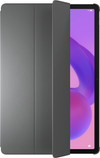
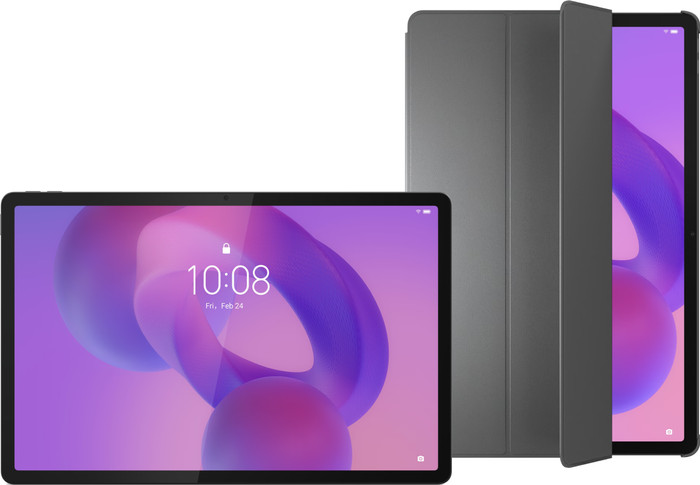
Lenovo Idea Tab Pro 12.7 inches 256GB WiFi Gray Matte Screen + Book Case Gray
Choose your tablet
Yes
|
256 GB
|
Book case, Stylus
Choose your tablet
- Be the first to know when this product is in stock




Yes
|
256 GB
|
Book case, Stylus


Product number | 959055 | |
|---|---|---|
Manufacturer code | ZAE40105SE | |
Brand | Lenovo | |
Warranty | 2 years | |
Processing of your defect | Via Coolblue |
Tablet size | Large | |
|---|---|---|
Depth | 0,69 cm | |
Width | 29,2 cm | |
Height | 18,9 cm | |
Color | Gray | |
Material | Plastic |
Child mode available | ||
|---|---|---|
Children's tablet | ||
Recommended for use | Movies, series, and gaming, School and business | |
Samsung Enterprise Edition |
Screen quality | Decent | |
|---|---|---|
Screen size | 12,7 inches | |
Sharpness | 3K | |
Resolution height | 1840 pixels | |
Resolution width | 2944 pixels | |
Pixel density | 273 ppi | |
Brightness | 400 cd/m2 | |
HDR support | ||
Scratch resistant | ||
Panel type | IPS panel | |
Horizontal aspect ratio | 16 | |
Vertical aspect ratio | 10 | |
Refresh rate | 144 Hz | |
Anti-reflection type | Anti glare |
Built-in WiFi | ||
|---|---|---|
WiFi standards | Wireless A (WiFi 2), Wireless AC (WiFi 5), Wireless AX (WiFi 6), Wireless AXE (WiFi 6E), Wireless B (WiFi 1), Wireless G (WiFi 3), Wireless N (WiFi 4) | |
Internet connection options | WiFi only | |
SIM card slot | ||
Bluetooth | ||
Bluetooth version | 5.3 | |
Headphone jack | ||
USB port | ||
Type of USB port | USB-C | |
Lightning connector | ||
Suitable for Samsung DeX |
Year introduced | 2025 | |
|---|---|---|
Introduction month | January | |
Access to Google Play Store | ||
Operating system | Android | |
Android version when introduced | Android 14 | |
Update to Android version possible | Update not possible yet | |
Latest Android version | ||
Expected number of remaining Android updates | 2 | |
Expected frequency security updates | Each quarter | |
Expected date of last security update | January 2029 |
Total storage capacity | 256 GB | |
|---|---|---|
Memory card reader | ||
Memory card | MicroSD | |
Expandable storage capacity up to | 1024 GB | |
Internal RAM | 8 GB |
Speed class | Good | |
|---|---|---|
Processor | MediaTek Dimensity 8300-Ultra | |
Processor cores | Octa-Core (8) | |
Clock speed | 2,2 GHz | |
Turbo speed | 3,35 GHz |
Autofocus | ||
|---|---|---|
Front Camera | ||
Number of megapixels front camera | 8 MP | |
Second rear camera |
Battery/battery capacity | 10,2 Ah | |
|---|---|---|
Suitable for fast charging | ||
Suitable for fast charging type | Quick Charge 4+ |
Built-in speakers | ||
|---|---|---|
Sound reproduction | Stereo | |
Number of speakers | 4 |
Accelerometer | ||
|---|---|---|
GPS sensor | ||
Light sensor | ||
Fingerprint identity sensor | ||
Facial recognition |
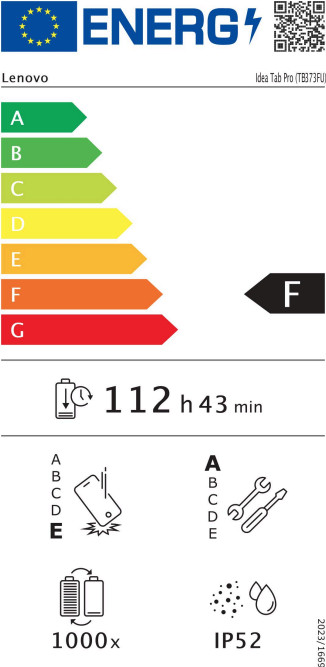
Water-resistant | ||
|---|---|---|
Shockproof |
Product number | 959382 | |
|---|---|---|
Manufacturer code | ZG38C05980 | |
Brand | Lenovo | |
Warranty | 2 years | |
Processing of your defect | Via Coolblue |
Universal application | ||
|---|---|---|
Suitable for model | Lenovo Idea Tab Pro | |
Made for brand | Lenovo | |
Suitable for screen size | 12,7 inches |
Model case | Book case | |
|---|---|---|
Material | Plastic | |
Color | Gray |
Level of protection | Standard | |
|---|---|---|
Level of protection | Front & back | |
Fall protection | ||
Shockproof |
Auto-wake function | ||
|---|---|---|
Magnet closure | ||
Standard | ||
Type of placement | Horizontal | |
Handle available | ||
Built-in pen holder |
Physical keyboard |
|---|
anything for a smile
According to our tablet expert
You can protect your tablet from scratches and dirt with the included cover.
With the included stylus, you can take notes and make sketches accurately.
Thanks to the matte screen, you can read your notes or documents without annoying reflections.
This heavy tablet is less easy to take with you on the go.
5 stars
0
4 stars
0
3 stars
1
2 stars
0
1 star
0
The only things missing are the busy backgrounds and no solid colors. The settings for adjusting the screen and taskbar are in various places, difficult to find, and limited. The taskbar was stuck on the screen instead of disappearing automatically. A restart was necessary to adjust it. It's difficult to take photos and scan documents with the case on. It seems like the screen space isn't being used optimally. There's a lot of space between the icons (possibly due to the resolution). Despite this, I didn't exchange the device because the tablet is suitable for what I want to do and wasn't too expensive. I've since managed to adjust the settings and screen layout to a situation that works for me.
Louise
17 November 2025
Automatically translated from Nederlands