anything for a smile
24 inches - Full HD - IPS
Choose your monitor

Installation ease
User friendliness
Image quality
Price-quality ratio
Design
This is my first 1440p display and I gotta say I lucked out on buying this particular monitor.
You could very well spend 50 dollars more on a different brand but you'd get an inferior display with the same feature set.
This monitor is borderline perfect for small time production work and mid to high end gaming. Set it to SRGB mode, make sure you use full RGB mode in your display settings and set the color to 8bit.
Make sure you set the Windows Display Settings to 75hz as it defaults to 60hz to be safe. Also go to the monitor settings and make sure the smart response is on Fast and nothing else.
This monitor took everything I threw at it with near perfection and the only real negatives I can say are the UI and the Brightness. When placed right next to my GW2270 VA panel, it is noticeably dimmer but at least you're getting 1.75 times the screen real estate to work with as well as nearly pure whites and crystal sharp imagery .
Just make sure you have a GPU that can handle this resolution when gaming as the demands are significantly higher than 1080p. Use an 8GB 570 or better.
Zaid Ashley
12 August 2019
Automatically translated from Nederlands
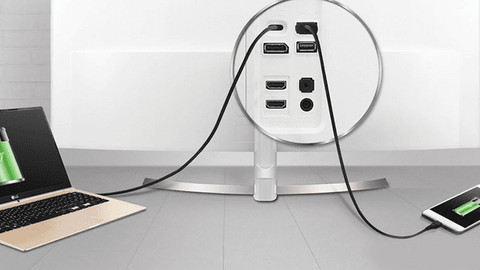
Does what it's supposed to do out of the box. It took some time to figure out why the USB power delivery did not deliver 65W as promised, but only 45. To deliver 65W, the brightness must be set to < 70%, and “smart contrast” must be turned off. That should be stated more clearly. So pay attention if that 65W is important.
Camiel
22 May 2024
Automatically translated from Nederlands
Was connected quickly and gives a good picture in combination with a MacBook Pro.
Marco D
28 August 2019
Automatically translated from Nederlands
Our digital expert will help you, but it can sometimes make mistakes, like humans do.
According to our monitor expert
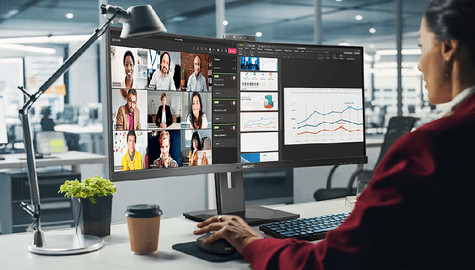
For daily use: you can open multiple windows and programs at the same time thanks to the medium-sized screen.
Bright colors from every angle: on the IPS panel, you’ll enjoy bright colors from every viewing angle.
Not for detailed work: you won't see every detail clearly because of the Full HD quality.
Retail price
€ 94,-€ 70,90
Retail price
€ 94,-€ 70,90
Product number | 966766 | |
|---|---|---|
Manufacturer code | 24E2N1110/00 | |
Brand | Philips | |
Warranty | 3 years | |
Processing of your defect | Via Coolblue |
Screen size | 24 inches | |
|---|---|---|
Recommended display resolution | 1920x1080 | |
Sharpness | Full HD (1080p) | |
Aspect ratio | Standard (16:9) | |
Refresh rate | 120 Hz | |
Response time | 4 ms | |
Panel type | IPS panel | |
Brightness | 300 cd/m2 | |
Local dimming | ||
HDR support | ||
Contrast ratio | 1500 | |
Touchscreen | ||
Screen reflection | Anti-glare | |
Blue light filter | ||
Flicker-free technology | ||
Color space | sRGB | |
Color depth | Less than 17 million colors (less than 8-bit) | |
Adaptive Sync | ||
Resolution width | 1920 pixels | |
Resolution height | 1080 pixels | |
Anti-reflection type | Anti glare | |
Horizontal viewing angle | 178 ° |
Height | 41 cm | |
|---|---|---|
Width | 54,2 cm | |
Depth | 18 cm | |
Weight | 2,44 kg | |
Color | Black | |
Including stand | ||
Material | Metal, Plastic | |
Cable management | ||
Appearance | Business, Neutral | |
Curved |
Number of HDMI connectors | 1 | |
|---|---|---|
Number of Female HDMI type A 1.4 ports | 1 | |
Suitable for daisy chaining | ||
USB-C dock |
Included by default | HDMI cable |
|---|
Adjustable in height | ||
|---|---|---|
Tiltable | ||
Pivotable stand | ||
Pivot function | ||
VESA mount option | ||
VESA mount | 100x100mm |
Energy label | E | |
|---|---|---|
Energy consumption standby | 0,5 W | |
Energy consumption active | 15,6 W | |
Energy consumption per 1000h | 18 kWh | |
Annual energy consumption | 26,28 kWh | |
Annual energy costs | 10,51 euros |
Built-in speakers | ||
|---|---|---|
Webcam | ||
Split screen | ||
Kensington lock |
Recommended for use | Internet, email, and text processing, Watching movies in Full HD |
|---|
Current product

Full HD (1080p)
Full HD (1080p)
Full HD (1080p)
Full HD (1080p)
Full HD (1080p)
IPS panel
IPS panel
IPS panel
IPS panel
IPS panel
E
E
E
C
C
Retail price
€ 94,-€ 70,90
Retail price
€ 129,-€ 101,90
Retail price
€ 109,-€ 86,90
Retail price
€ 129,90€ 98,90
Retail price
€ 159,90€ 116,90
Delivered tomorrow
Delivered tomorrow
With Coolblue Extended Warranty, you are protected against costs due to quality defects of your monitor for the next 5 years. During the entire term, we will reimburse up to the original purchase price. You can easily add the Extended Warranty in your shopping cart.

€ 13,99
one-timeAdd your monitor to your shopping cart. In the next step, you can add the Extended Warranty. You can exchange or return your purchase for free within 30 days.