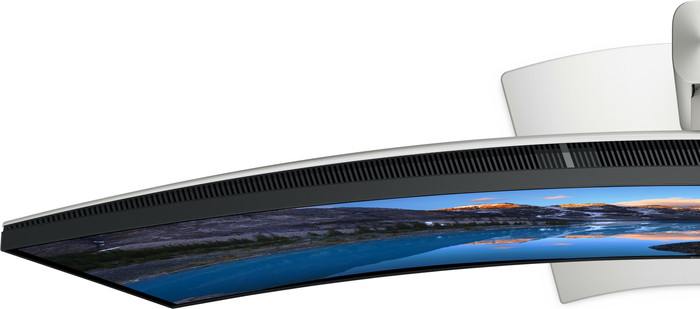

Highlighted
What's a USB-C monitor and what can you use it for?
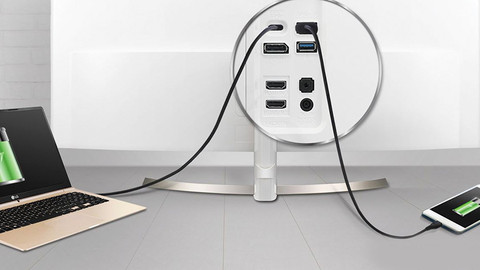
If your business monitor has a USB-C port with a lot of power, you can combine 3 functions with 1 cable. You can read what the advantages of a USB-C monitor are here.How do you choose the resolution of your monitor?
The higher the resolution of your monitor, the sharper the images are. You can read which resolution you need for your work here.How do I choose the best image size for my monitor?
There are monitors for various usage situations. In this article, we'll explain which screen size suits you best.How do you choose a monitor for your MacBook?
When you're looking for more screen space next to your MacBook, a monitor is a good idea. This way, you can work at multiple windows at the same time. You can read which monitor suits your MacBook best here.


Specifications
Product
Product number | 968888 | |
|---|---|---|
Manufacturer code | U4025QW | |
Brand | Dell | |
Warranty | 2 years | |
Processing of your defect | Via Coolblue |
Screen
Screen size | 40 inches | |
|---|---|---|
Recommended display resolution | 5120x2160 | |
Sharpness | 5K | |
Aspect ratio | Ultrawide (21:9) | |
Refresh rate | 120 Hz | |
Response time | 8 ms | |
Panel type | IPS panel | |
Brightness | 600 cd/m2 | |
Local dimming | ||
HDR support | ||
Contrast ratio | 2000 | |
Touchscreen | ||
Screen reflection | Anti-glare | |
Blue light filter | ||
Flicker-free technology | ||
Color space | DCI-P3, sRGB | |
sRGB color coverage percentage | 100 % | |
Color depth | 1 billion colors (10-bit) | |
Adaptive Sync | ||
Resolution width | 5120 pixels | |
Resolution height | 2160 pixels | |
Anti-reflection type | Anti glare | |
Horizontal viewing angle | 178 ° |
Physical properties
Height | 47,2 cm | |
|---|---|---|
Width | 94,6 cm | |
Depth | 25,2 cm | |
Weight | 11,7 kg | |
Color | Silver | |
Including stand | ||
Material | Plastic | |
Cable management | ||
Appearance | Neutral | |
Curved | ||
Screen curve | 2500 R |
Connectors and connections
Number of HDMI connectors | 1 | |
|---|---|---|
Number of Female HDMI type A 2.1 ports | 1 | |
Number of headphone jacks | 1 | |
Type of headphone connection | 3.5mm (TRS) | |
Number of USB-C ports | 4 | |
Number of USB 3.0 Female USB-C ports | 1 | |
Number of Female Standard DisplayPort 1.4 ports | 1 | |
Number of female standard USB-A ports | 5 | |
Female standard USB-A port version | 2.0, 3.1 | |
Number of female 3.5mm TRS Audio Jack ports | 1 | |
Number of Female RJ-45 ports | 1 | |
Type of USB port | Standard USB-A, USB-C | |
Number of USB ports | 94 | |
Type of USB cable included | USB-A to USB-C | |
USB-C dock | ||
Maximum USB-C dock power | 140 W |
Included
Included by default | DisplayPort cable, HDMI cable, USB cable | |
|---|---|---|
Not included by default | USB-C cable |
Adjustability
Adjustable in height | ||
|---|---|---|
Tiltable | ||
Pivotable stand | ||
Pivot function | ||
VESA mount option | ||
VESA mount | 100x100mm |
Energy consumption
Energy label | F | |
|---|---|---|
Energy consumption standby | 0,3 W | |
Energy consumption active | 39,5 W | |
Energy consumption per 1000h | 40 kWh | |
Annual energy consumption | 58,4 kWh | |
Annual energy costs | 23,36 euros |
Other properties
Built-in speakers | ||
|---|---|---|
Sound system | Stereo | |
Webcam | ||
Split screen | ||
Kensington lock |
Quality properties
Recommended for use | Image editing and graphic design, Internet, email, and text processing, Office work, Photo editing, Video editing, Watching movies in 4K |
|---|
This is the one