Epson EcoTank ET-4950



anything for a smile

No extra ink

Better model

5 stars
3
4 stars
8
3 stars
2
2 stars
0
1 star
0
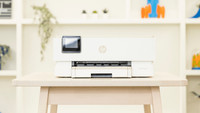
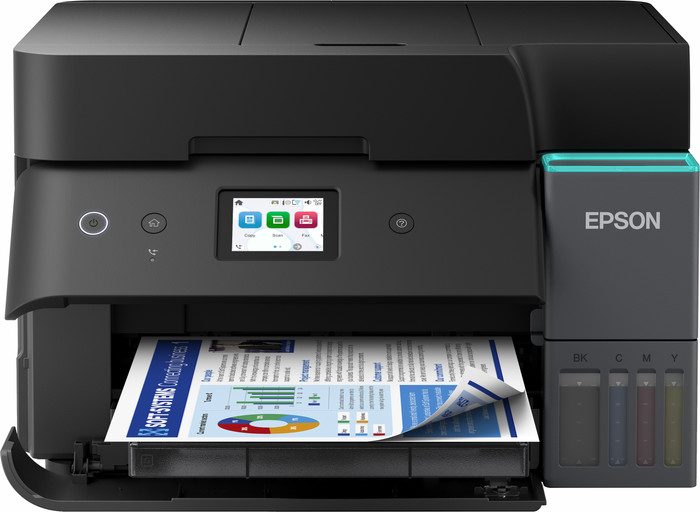
With the Epson EcoTank ET-4950, I print all my documents and images in good quality. Installation is easy, and I connect the printer to my laptop or iPhone quickly via Wi-Fi or Wi-Fi Direct. However, I do find it a pity that the screen becomes unreadable if I am not sitting directly in front of it.
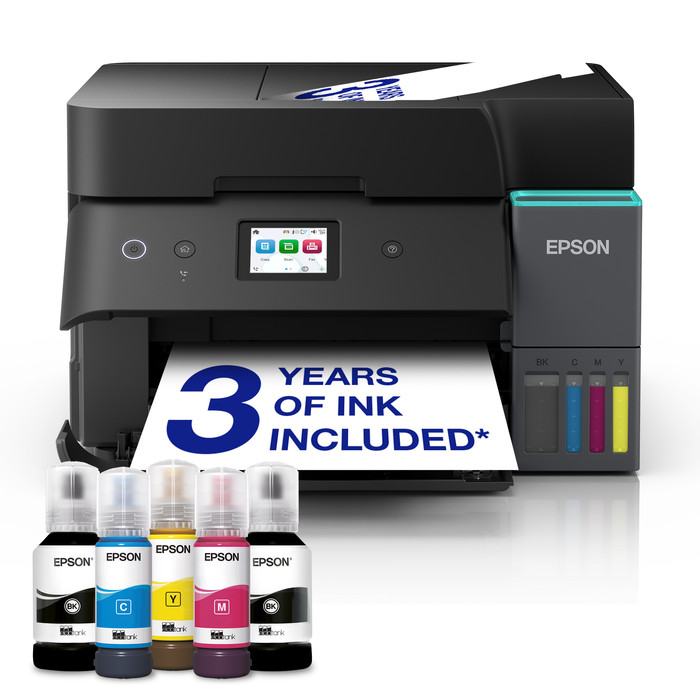
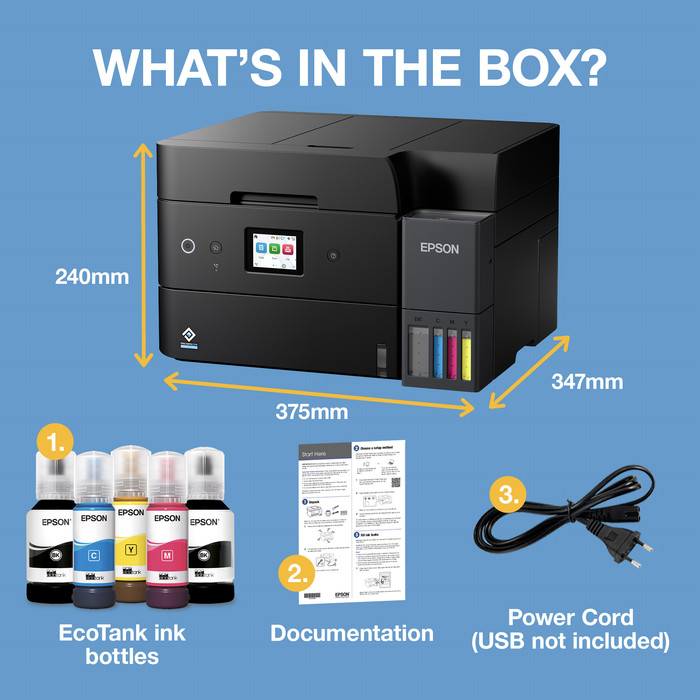
First impression In the box, I find the printer, a manual, and a power cable. There are also 5 ink bottles in the package: 2 black, 1 magenta, 1 cyan, and 1 yellow. The printer is in a plastic bag, making it easy to take out of the box. This EcoTank then guides me step-by-step through the installation via the touchscreen on the front. I carefully place the ink bottles one by one upside down onto the correct reservoir so that the ink flows into the printer. When the reservoir is full, I remove the bottle. After this, I place a stack of A4 paper in the paper tray and adjust the guides. The paper tray is located at the front of the printer, so I can safely place it in a cupboard or against a wall. Always a stable connection with Wi-Fi Direct
Now that the printer is loaded, I start the connection process. On the touchscreen, I select Wi-Fi Direct, after which a new window opens with a password. At the same time, the ET-4950 appears in the Wi-Fi list on my laptop. I select the printer, enter the password, and am connected immediately. Because the printer does not use a router with Wi-Fi Direct, I am not browsing the internet in the meantime. Fortunately, I switch Wi-Fi connections quickly, and the printer remembers my laptop, so I don't have to enter the password again and again. I always prefer Wi-Fi Direct because it prevents potential Wi-Fi problems with false signals.
Fast printing with Apple AirPrint
I often simply print my documents using my iPhone. For this, I use the handy Apple AirPrint. Apple AirPrint is standard on every Apple device, allowing me to connect my printer quickly. If I want to print something directly from apps like Safari, Mail, and Photos, I do so via the share menu. I select the printer and adjust the paper size. Double-sided automatic document feeder With this Epson, I quickly scan or copy a large stack of paper double-sided using the double-sided automatic document feeder. The prints look sharp and have beautiful colors. The quality is fine for when I print color images, for example, for someone's birthday.
Rowan. Printer specialist.
3 April 2026
Automatically translated from Nederlands
After thorough research and watching several YouTube reviews, I chose this printer. On paper, it's the perfect printer, but the quality is very disappointing. Immediately after unpacking and turning it on for the first time, I received error messages about missing and/or defective components. Once this was finally resolved and the ink cartridges were filled with ink, it was very easy to use. I got the printer working without any problems on Windows, macOS, Linux, and ChromeOS. However, the printer also proved to be very unreliable in use: about 1 in 5 prints jams, after which the paper has to be removed manually. Duplex printing is completely impossible without paper jams, as is duplex scanning.
Finally, I purchased this multifunction printer to replace my printer and separate scanner, but unfortunately, it can't scan to my local network share. So, I still need the separate scanner.
Considering all this, I've decided to return the printer.
Maarten
12 February 2026
Automatically translated from Nederlands
Just include a quick guide. The installation was an assault on my life. I just want plug and play. I don't want an app on my phone. So, an hour of sheer stress. Bad, very bad experience. But the print quality is really nice. And the refill bottles were okay. Made 400 prints that day, that went fine, but the installation was worthless.
Jan
2 July 2026
Automatically translated from Nederlands
Print technology | Ink tank | |
|---|---|---|
Printer type | All-in-one | |
Color printer | ||
Automatic duplex printing | ||
Maximum print size | A4 | |
Automatic document feeder (ADF) | ||
WiFi direct |
According to our printer expert
Fast duplex scanning: scan or copy a large stack of paper all at once on both sides with the automatic document feeder.
Low printing costs: with a full ink tank, you can print thousands of pages at a low cost.
Easy controls: you can easily carry out print jobs via the color screen.
Not for A3 paper: an A4 printer only prints on A4 and smaller sizes, not on A3 or A3+ paper.
Not for a lot of printing: if you print many large reports, we recommend a printer with a higher print speed.
Retail price
€ 469,-€ 357,90
Retail price
€ 469,-€ 357,90
Product number | 969989 | |
|---|---|---|
Manufacturer code | C11CL40402 | |
Brand | Epson | |
Warranty | 2 years | |
Processing of your defect | Via Coolblue |
Printer size | Medium | |
|---|---|---|
Width | 37,5 cm | |
Depth | 34,7 cm | |
Height | 24 cm | |
Color | Black | |
Weight | 7,46 kg |
Printer type | All-in-one | |
|---|---|---|
Photo printer | ||
Print quality photos | Stand | |
Portable (mobile use) | ||
Recommended for use printers | Business printing |
Ink bottle series | Epson 102 | |
|---|---|---|
Usage costs for 1 page | 1 eurocent | |
Print technology | Ink tank | |
Type of ink | Ink bottles | |
Number of cartridges/toner cartridges | 4 | |
Color printer | ||
Print speed black (ISO) | 18 ppm | |
Print speed color (ISO) | 9 ppm | |
First black page ready after | 8,5 seconds | |
Speed class | Good | |
Maximum print resolution height | 1200 dpi | |
Maximum print resolution width | 4800 dpi | |
Maximum print size | A4 | |
Automatic duplex printing | ||
Borderless printing | ||
Maximum print size duplex printing | A4 |
Scan functionality | ||
|---|---|---|
Automatic duplex scanning | ||
Maximum optical scan resolution width | 1200 dpi | |
Maximum optical scan resolution height | 2400 dpi | |
Scanner type | File scanner, Flatbed scanner | |
Maximum scan size | A4 (21x29.7cm) | |
Automatic document feeder (ADF) | ||
Maximum paper size ADF | A4 | |
Scan sizes | A4, A5, A6 | |
Scan speed (PPM) | 6,5 ppm | |
Color depth output | 24 bpp | |
Scan to | App, Application, Cloud, Dropbox, Email, Email address, Email server, Evernote, FTP, File, Folder, Folder with images, Google Docs, Image, Microsoft Excel, Microsoft PowerPoint, Microsoft SharePoint Connector, Microsoft Word, Network, PC (local), PC (network), PDF, PDF/A, Searchable PDF, Secured PDF, USB | |
ADF capacity | 30 | |
OCR |
Copying functionality | ||
|---|---|---|
Copy speed black (ISO) | 11,5 ppm | |
Copy speed color (ISO) | 6 ppm | |
Maximum copy resolution height | 1200 dpi | |
Maximum copy resolution width | 4800 dpi |
Fax functionality | ||
|---|---|---|
Color fax |
Built-in screen | ||
|---|---|---|
Color screen | ||
Touchscreen |
German awards | ||
|---|---|---|
Awards DE | Stiftung Warentest | |
Result Stiftung Warentest | Good |
Compatible with operating system | Android, ChromeOS, Linux, Windows, Windows Phone, iOS, macOS | |
|---|---|---|
Connection type | Wired, Wireless | |
Apple AirPrint | ||
Email print | ||
WPS (Wireless Protected Setup) | ||
Female standard USB-A port version | 2.0 | |
Ethernet port | ||
NFC | ||
Built-in WiFi | ||
WiFi frequency printers | 2.4GHz, 5GHz | |
WiFi direct | ||
Bluetooth | ||
USB port |
Location paper input | Front | |
|---|---|---|
Manual input tray | ||
Photo paper drawer | ||
Output capacity output drawer | 30 | |
Maximum print size standard paper tray | A4 | |
Input capacity standard paper tray | 250 | |
Number of standard paper trays | 1 |
Memory card reader |
|---|
Receive a cashback up to € 150 when you purchase a participating product. The promotion runs up to 30 September 2026. Register your Epson printer within 30 calendar days after purchase to ensure your cashback. Read how this works in the promotional Terms and Conditions.

Current product

A4
A4
A3+
A4
Ink tank
Ink tank
Ink tank
Ink tank
All-in-one
All-in-one
All-in-one
All-in-one
Retail price
€ 469,-€ 357,90
Retail price
€ 429,-€ 329,90
Retail price
€ 549,-€ 444,90
Retail price
€ 349,-€ 301,90
With Coolblue Extended Warranty, you are protected against costs due to quality defects of your printer for the next 4 years. During the entire term, we will reimburse up to the original purchase price. You can easily add the Extended Warranty in your shopping cart.
€ 49,99
one-timeAdd your printer to your shopping cart. In the next step, you can add the Extended Warranty. You can exchange or return your purchase for free within 30 days.
Delivered tomorrow
Delivered tomorrow