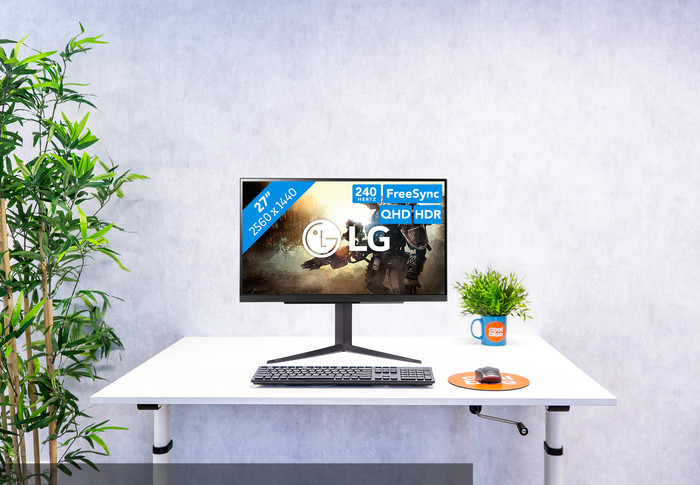
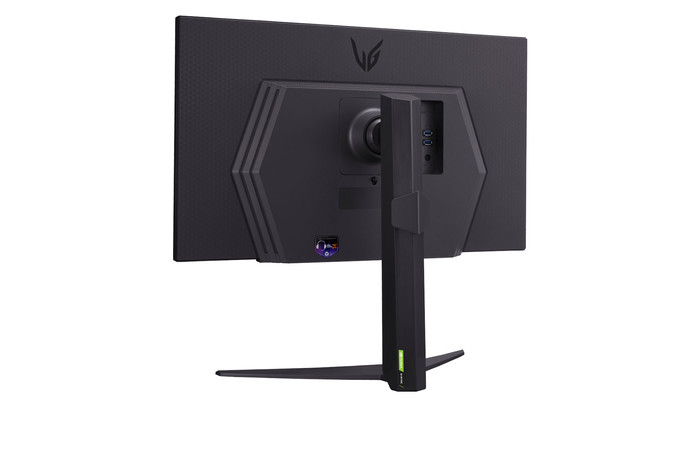
With a 240Hz refresh rate, you can smoothly play fast-moving games.
With the QHD resolution with HDR support, you can enjoy sharp images and colors.
Your monitor and video card work smoothly together thanks to the G-Sync and FreeSync Premium support.
This monitor doesn't have built-in speakers for the sound of your games or music.
Description
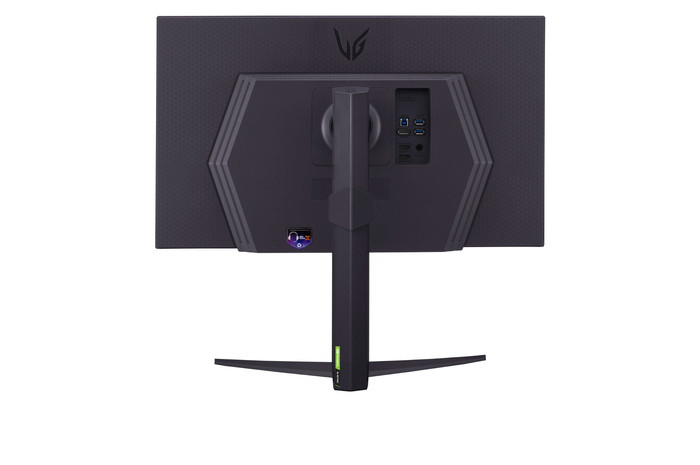
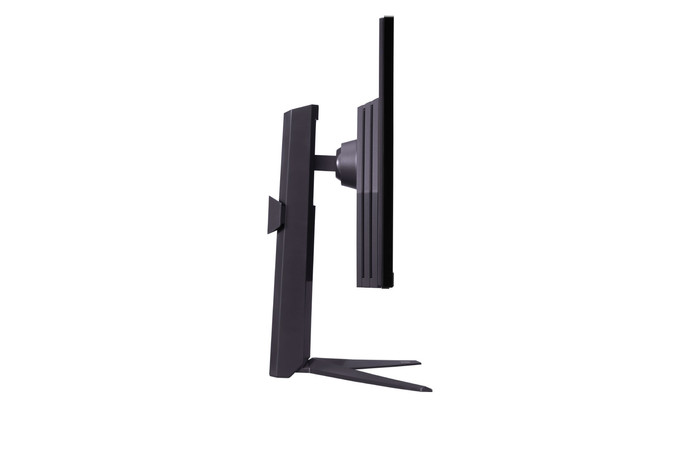
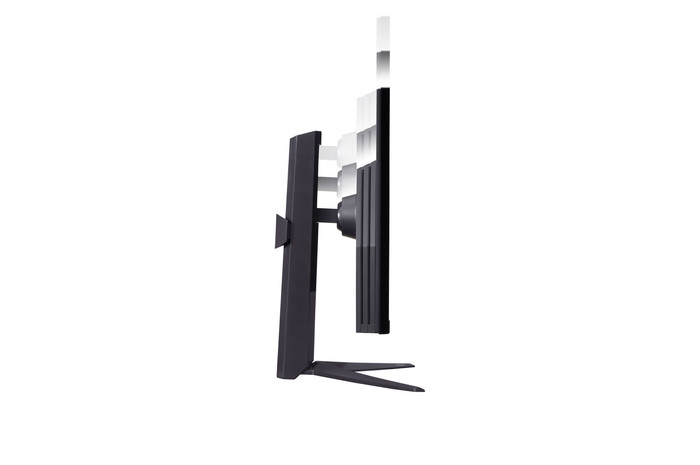
Fully immerse yourself in your games with the LG UltraGear 27GR83Q-B 27-inch 240Hz QHD gaming monitor. Thanks to high refresh rate of 240Hz and the 1ms response time, you can enjoy smooth movements and transitions. This means you're not bothered by screen tearing or opponents that appear on screen too late. All gameplay and cutscenes look even better on the sharp QHD screen with DisplayHDR 400 support. Have an NVIDIA or AMD video card? It'll always be in sync with the screen, thanks to G-Sync and FreeSync Premium support. You can also adjust this monitor in height or tilt it to your liking for a comfortable position during long game marathons.
Note: if you want to reach the maximum refresh rate of this monitor, connect it to a PC via DisplayPort. Console gaming and HDMI only support lower speeds.
Very good contrast and color reproduction (DCI-P3 99%!)
High refresh rate
HDR600 does its job very well
No smart options
I was torn between the Samsung Odyssey G7 LS27DG702EUXEN and this LG monitor, both in roughly the same price range. Both are strong screens, but they target different types of users. After extensive testing, I chose the LG. Below, I'll explain why; hopefully, it will help you with your choice too :).
Samsung: a monitor that's almost a TV
Pros:
Good value
Built-in speakers
Smart platform (Netflix, TV, apps)
Lots of features and settings
Cons:
You get a lot of extra features, but that comes at the expense of the focus on image quality
Lower contrast and less vibrant color reproduction (mix of DCI-P3, RGB, and Adobe)
The IPS panel is noticeably lower quality than the LG's
Less focus on pure performance
In summary:
Ideal if you want a single device that serves as both a gaming monitor and an entertainment screen.
LG: Maximum performance, no bells and whistles
Pros
Focused on pure image quality and gaming
Higher quality IPS panel (Nano) with better colors and almost OLED-level
Higher contrast and brightness
Color reproduction = DCI-P3 99%!!!
Extremely high refresh rates, ideal for PC & console gaming
Better HDR
No unnecessary smart platforms: just plug and play
Cons
No built-in smart features
No built-in speakers/remote control
In summary:
The best choice if you're looking for pure performance and image quality within a similar price range.
Final conclusion
Both monitors are good, but they offer something different:
-> Do you want to game and also use Netflix, TV, and smart features? → Go for the Samsung.
-> Do you want the best image quality and performance without unnecessary extras? → Go for the LG.
That was the deciding factor for me: I simply wanted a top-notch monitor for gaming, not a TV-like screen that always started up with a French channel. That's why I chose the LG.
Hope this helps :)
Alex
21 November 2025
Automatically translated from Dutch
Review is 9,6 out of 10.
9,6/10 ()
Recommended
Very nice picture
Speed
Easy to use
Sound
This screen is highly recommended! The design is good. Everything you play is very sharp and games play quickly. If you often play games, this screen is really great. The refresh rate is very fast, which makes everything run very smoothly. I often had this problem with my old screens. The resolution also leaves nothing to be desired. Everything is crystal clear. In addition, the screen was set up within 5 minutes. So no time is lost! I can therefore recommend this screen to every gamer, or anyone who just wants a good screen! It takes your gaming experience to the next level.
Koen123
22 April 2025
Automatically translated from Dutch
Review is 8,0 out of 10.
8,0/10 ()
Good Monitor
price
monitor interface
beautiful picture
software annoyances
For the price a very good monitor. IPS and no Oled no problem. There are some problems with the HDR and windows. LG should solve this with an update. In terms of pixel lottery I was able to exchange my first one at coolblue without any problems. I had 1 white pixel. Second monitor was perfect. Hence pixel lottery. All monitors of all brands suffer from it. just a very good monitor. the operation on the LG monitor can not compete with any other brand.
Paul
12 April 2025
Automatically translated from Dutch
Specifications
The list with properties are filtered when you type
Product
Product
Product number
941574
Manufacturer code
27GR83Q-B.AEU
Brand
LG
Warranty
2 years
Processing of your defect
Via Coolblue
Screen
Screen
Recommended display resolution
2560x1440
Sharpness
Quad HD (1440p)
Aspect ratio
Standard (16:9)
Refresh rate
240 Hz
Response time
1 ms
Panel type
IPS panel
Local dimming
HDR support
Contrast ratio
1000
Touchscreen
Type of HDR
DisplayHDR 400
Screen reflection
Anti-glare
Blue light filter
Flicker-free technology
Color space
DCI-P3
Color depth
1 billion colors (10-bit)
Adaptive Sync
Type of adaptive sync
FreeSync Premium, G-Sync Compatible
Resolution width
2560 pixels
Resolution height
1440 pixels
Anti-reflection type
Anti glare
Viewing distance
43 - 115 cm
Horizontal viewing angle
178 °
Physical properties
Physical properties
Height
57,7 cm
Width
61,3 cm
Depth
25,3 cm
Weight
6,2 kg
Color
Black
Including stand
Material
Metal, Plastic
Cable management
Appearance
Gaming
Curved
Connectors and connections
Connectors and connections
Number of HDMI connectors
2
Number of Female HDMI type A 2.1 ports
2
Number of headphone jacks
1
Type of headphone connection
3.5mm (TRS)
Number of Female Standard DisplayPort 1.4 ports
1
Number of female standard USB-A ports
2
Female standard USB-A port version
3.0
Number of female 3.5mm TRS Audio Jack ports
1
Number of female standard USB-B (3.0 form) ports
1
Type of USB port
Standard USB-A, Standard USB-B (3.0 form)
Number of USB ports
3
Suitable for daisy chaining
Type of USB cable included
USB-A to USB-B
USB-C dock
Included
Included
Included by default
DisplayPort cable, HDMI cable, USB cable
Not included by default
USB-C cable
Adjustability
Adjustability
Adjustable in height
Tiltable
Pivotable stand
Pivot function
VESA mount option
VESA mount
100x100mm
Energy consumption
Energy consumption
Energy label
F
Energy consumption standby
0,5 W
Energy consumption active
50 W
Energy consumption per 1000h
26 kWh
Annual energy consumption
37,96 kWh
Annual energy costs
15,18 euros
Other properties
Other properties
Built-in speakers
Webcam
Split screen
Kensington lock
Quality properties
Quality properties
Recommended for use
Gaming, Image editing and graphic design, Internet, email, and text processing, Photo editing, Video editing, Watching movies in Full HD