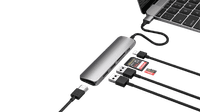
Connect your laptop to all your peripherals with the Lenovo Thinkpad Thunderbolt 4 Dock. You can connect your monitors, mouse, keyboard, internet cable, and headphones and get started right away. That's useful if you're working at the office or at home. You can also use this dock to charge your laptop and phone. So you never have to look for a socket when you're working. The Lenovo Thunderbolt 4 Dock works on all Windows laptops, MacBook models, and Chromebook models with a USB-C port that transmits a video signal. This is how you check whether your laptop has a suitable USB-C port.
What can you do with this docking station?
- Connect 1 monitor
- Connect 2 monitors
- Charge your laptop
- Working with wired internet
- Charge your phone
- Connect your headphones
- Connect your keyboard and mouse
What can't you do with this docking station?
- Read a memory card
If you connect
1 monitor to this docking station, you can reach a maximum resolution of
4K at 60Hz.
If you connect
2 monitors to this docking station, you can reach a maximum resolution of
4K at 60Hz