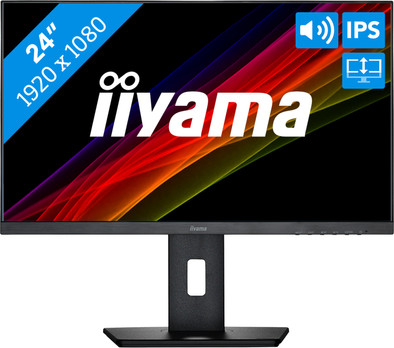
iiyama ProLite XUB2492HSU-B5

Never available again
View alternatives in the sidebar
View alternatives in the sidebar
With Coolblue Extended Warranty, you are protected against costs due to quality defects of your monitor for the next 5 years. During the entire term, we will reimburse up to the original purchase price. You can easily add the Extended Warranty in your shopping cart.
€ 13,99
one-timeAdd your monitor to your shopping cart. In the next step, you can add the Extended Warranty. You can exchange or return your purchase for free within 30 days.
Product number | 922096 | |
|---|---|---|
Manufacturer code | XUB2492HSU-B5 | |
Brand | Iiyama | |
Warranty | 3 years | |
Processing of your defect | At your home |
Screen size | 24 inches | |
|---|---|---|
Recommended display resolution | 1920x1080 | |
Sharpness | Full HD (1080p) | |
Aspect ratio | Standard (16:9) | |
Refresh rate | 75 Hz | |
Response time | 4 ms | |
Panel type | IPS panel | |
Brightness | 250 cd/m2 | |
Local dimming | ||
HDR support | ||
Contrast ratio | 1000 | |
Touchscreen | ||
Screen reflection | Anti-glare | |
Blue light filter | ||
Flicker-free technology | ||
Color space | sRGB | |
sRGB color coverage percentage | 99 % | |
Color depth | Less than 17 million colors (less than 8-bit) | |
Adaptive Sync | ||
Resolution width | 1920 pixels | |
Resolution height | 1080 pixels | |
Anti-reflection type | Matte | |
Horizontal viewing angle | 178 ° |
Height | 49,3 cm | |
|---|---|---|
Width | 53,9 cm | |
Depth | 20,9 cm | |
Weight | 5,3 kg | |
Color | Black | |
Including stand | ||
Material | Plastic | |
Cable management | ||
Appearance | Business, Neutral | |
Curved |
Number of HDMI connectors | 1 | |
|---|---|---|
Number of headphone jacks | 1 | |
Type of headphone connection | 3.5mm (TRS) | |
Number of female standard USB-A ports | 2 | |
Female standard USB-A port version | 2.0 | |
Number of female 3.5mm TRS Audio Jack ports | 1 | |
Number of female standard VGA ports | 1 | |
Type of USB port | Standard USB-A, Standard USB-B (2.0 form) | |
Number of USB ports | 3 | |
Suitable for daisy chaining | ||
Type of USB cable included | USB-A to USB-B | |
USB-C dock |
Included by default | DisplayPort cable, HDMI cable, USB cable | |
|---|---|---|
Not included by default | USB-C cable |
Adjustable in height | ||
|---|---|---|
Tiltable | ||
Pivotable stand | ||
Pivot function | ||
VESA mount option | ||
VESA mount | 100x100mm |
Energy label | D | |
|---|---|---|
Energy consumption standby | 0,5 W | |
Energy consumption active | 15 W | |
Energy consumption per 1000h | 15 kWh | |
Annual energy consumption | 21,9 kWh | |
Annual energy costs | 8,76 euros |
Built-in speakers | ||
|---|---|---|
Sound system | Stereo | |
Split screen | ||
Kensington lock |
Recommended for use | Internet, email, and text processing, Office work, Watching movies in Full HD |
|---|
anything for a smile
Sharpness | Full HD (1080p) | |
|---|---|---|
Curved | ||
Aspect ratio | Standard (16:9) | |
Refresh rate | 75 Hz | |
Response time | 4 ms | |
Panel type | IPS panel | |
Color depth | Less than 17 million colors (less than 8-bit) | |
Built-in speakers |
According to our monitor expert
Thanks to the built-in speakers, you can enjoy the sound of your favorite movies and music.
If you adjust the monitor in height, tilt or rotate it, you can create an ergonomic sitting position.
Thanks to the extremely thin bezels, you can easily place this monitor in a dual or triple setup.
With a relatively low brightness of 250 nits, the screen is less readable in brightly lit or dark rooms.
5 stars
13
4 stars
18
3 stars
0
2 stars
0
1 star
0
Picture quality is perfect but the sound quality is crap!!
W.M.M. Menheere
16 January 2021
Automatically translated from Nederlands
many connection options, perfect combination with my MacBook Pro with only 2x thunderbolt 3 ports
Robert
21 December 2020
Automatically translated from Nederlands
You don't have to attach anything to your Macbook, everything can be done via the screen. Resolution fine. Compared it to my iMac, which has a better resolution, but for my purposes I don't see any difference at all. Macbook in Clam Shell mode and get started!
Nicolette Bakhuizen
25 October 2021
Automatically translated from Nederlands