Welcome to your environment! You can order everything from your assortment with your personal budget here.

You can always return to the normal Coolblue website by clicking here.

Your outstanding budget (incl. VAT) is always visible here, so you know exactly how much you can spend.

Coolblue home

Help with your product
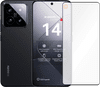
Xiaomi 14 512GB Black 5G + Just in Case Tempered Glass Screen Protector

Protect the screen of your Xiaomi 14 512GB Black 5G from scratches and cracks with the Just in Case Tempered Glass Screen Protector. The Xiaomi 14 is a high-end smartphone with a compact size. You can easily control the 6.36-inch Full HD screen with 1 hand. The 4610mAh battery of the Xiaomi 14 lasts an entire day with average use. You can charge the battery super fast with the included 90W fast charger. The battery is fully charged in 30 minutes. The Xiaomi 14 is suitable for the most demanding tasks. You can play 3D games and edit photos and videos, for example. There are 3 cameras on the back of the Xiaomi 14: a standard lens, wide-angle lens, and telephoto lens. You can take razor-sharp photos with this. With the telephoto lens, you can even zoom in up to 3 times without your photos becoming less sharp. You can store your photos, apps, and other files on the spacious 512GB storage of the Xiaomi 14.

Read all tips here

Which product do you want to see articles about?

3 tips if the audio of your Xiaomi smartphone doesn't work

Is there no sound coming out of your Xiaomi smartphone or can't leave any messages? That means that there's a problem with your microphone or sound. That's very unfortunate if you want to make a call, for example. In this article, we'll give you 3 tips to solve this problem.


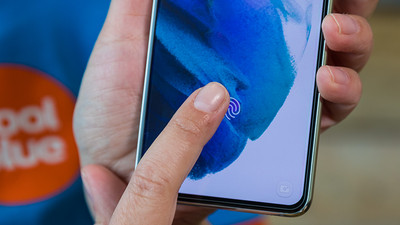
How do you apply a glass screen protector with a fingerprint scanner under the screen?

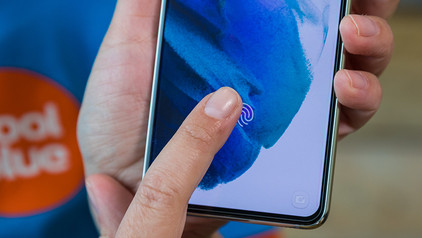
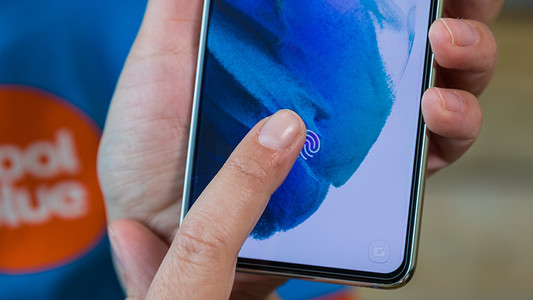
Sometimes, your fingerprint scanner doesn't work properly when you stick a glass screen protector onto your screen. As a result, you suddenly can't unlock your smartphone with your fingerprint anymore. You can fix this by changing your phone settings. We'll explain what you have to do to make your in-screen fingerprint scanner work again in 3 steps here.

How do you apply a glass screen protector with a fingerprint scanner under the screen?

Sometimes, your fingerprint scanner doesn't work properly when you stick a glass screen protector onto your screen. As a result, you suddenly can't unlock your smartphone with your fingerprint anymore. You can fix this by changing your phone settings. We'll explain what you have to do to make your in-screen fingerprint scanner work again in 3 steps here.

How do you apply a glass screen protector with a fingerprint scanner under the screen?

Sometimes, your fingerprint scanner doesn't work properly when you stick a glass screen protector onto your screen. As a result, you suddenly can't unlock your smartphone with your fingerprint anymore. You can fix this by changing your phone settings. We'll explain what you have to do to make your in-screen fingerprint scanner work again in 3 steps here.

3 tips if your Xiaomi touchscreen no longer works

You can control your Xiaomi smartphone with your touchscreen. Doesn't that work? Luckily, there are a few ways to get your touchscreen working again. For example, reset your Xiaomi, or remove the case and screen protector. We'll explain how to do this on this page.

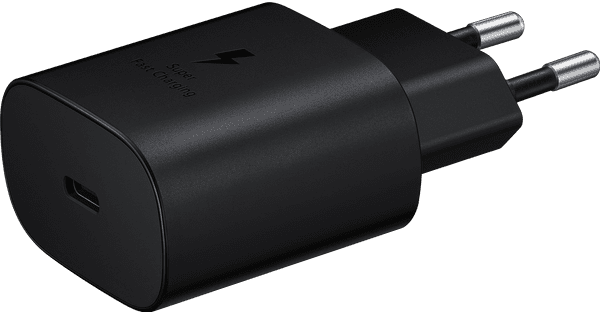
7 tips for charging your smartphone

You probably charge your smartphone every day. When you charge it the right way, your battery wears less and your device lasts longer. We'll explain why it's better not to charge your smartphone up to 100% and why fast charging is convenient here. That way, you'll know exactly how to properly charge your smartphone, tablet, or other device.

How can I find the IMEI number of my phone?

Every telephone has a unique IMEI number. This allows you to find useful information from a telephone, such as how old the device is or who the owner is. This can come in handy if your phone breaks so you can see if it's under warranty. Also useful if you want to report your stolen phone. I explain how to find the IMEI number here.

How do you download an app on your Android phone?

A smartphone is meant to make calls with, but it's much more fun to use all kinds of apps. For example, you can order a new washing machine with the Coolblue app or watch a movie on Netflix. In this article, we'll explain step by step where and how you download an app.

5 tips to free up storage on your phone

You know the feeling: you're about to make a World-Press-Photo-worthy picture, only to get the 'Storage almost full' notification. Argh, no picture and frustration galore. Fortunately, there are some easy ways to free up storage on your phone, so you can make that award-winning photo after all.

3 tips if the audio of your Xiaomi smartphone doesn't work

Is there no sound coming out of your Xiaomi smartphone or can't leave any messages? That means that there's a problem with your microphone or sound. That's very unfortunate if you want to make a call, for example. In this article, we'll give you 3 tips to solve this problem.

3 tips if your Xiaomi touchscreen no longer works

You can control your Xiaomi smartphone with your touchscreen. Doesn't that work? Luckily, there are a few ways to get your touchscreen working again. For example, reset your Xiaomi, or remove the case and screen protector. We'll explain how to do this on this page.

7 tips for charging your smartphone

You probably charge your smartphone every day. When you charge it the right way, your battery wears less and your device lasts longer. We'll explain why it's better not to charge your smartphone up to 100% and why fast charging is convenient here. That way, you'll know exactly how to properly charge your smartphone, tablet, or other device.

How can I find the IMEI number of my phone?

Every telephone has a unique IMEI number. This allows you to find useful information from a telephone, such as how old the device is or who the owner is. This can come in handy if your phone breaks so you can see if it's under warranty. Also useful if you want to report your stolen phone. I explain how to find the IMEI number here.

How do you download an app on your Android phone?

A smartphone is meant to make calls with, but it's much more fun to use all kinds of apps. For example, you can order a new washing machine with the Coolblue app or watch a movie on Netflix. In this article, we'll explain step by step where and how you download an app.

5 tips to free up storage on your phone

You know the feeling: you're about to make a World-Press-Photo-worthy picture, only to get the 'Storage almost full' notification. Argh, no picture and frustration galore. Fortunately, there are some easy ways to free up storage on your phone, so you can make that award-winning photo after all.

5 tips to free up storage on your phone

You know the feeling: you're about to make a World-Press-Photo-worthy picture, only to get the 'Storage almost full' notification. Argh, no picture and frustration galore. Fortunately, there are some easy ways to free up storage on your phone, so you can make that award-winning photo after all.

How do I update my Android version?

Every new version of Android provides improvements. In this article, I'll explain how to provide your smartphone with the latest version of Android. If you go through the steps below, you can be sure that your device has the latest Android operating system.
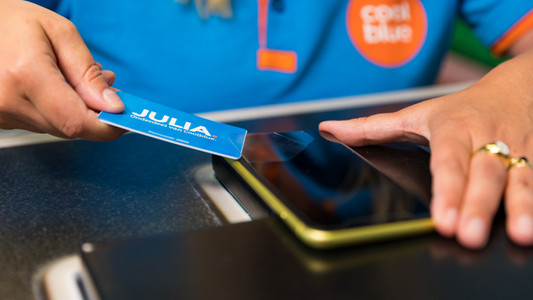
How do you pay with your mobile phone?

Nowadays, most smartphones are suitable for making contactless payments. That's useful, because it'll save you a lot of hassle with wallets and cards. In this article, we'll explain how contactless payments with your smartphone work and how you can make your mobile phone suitable for this feature.

How do you apply a glass screen protector with a fingerprint scanner under the screen?

Sometimes, your fingerprint scanner doesn't work properly when you stick a glass screen protector onto your screen. As a result, you suddenly can't unlock your smartphone with your fingerprint anymore. You can fix this by changing your phone settings. We'll explain what you have to do to make your in-screen fingerprint scanner work again in 3 steps here.

How do you apply a glass screen protector with a fingerprint scanner under the screen?

Sometimes, your fingerprint scanner doesn't work properly when you stick a glass screen protector onto your screen. As a result, you suddenly can't unlock your smartphone with your fingerprint anymore. You can fix this by changing your phone settings. We'll explain what you have to do to make your in-screen fingerprint scanner work again in 3 steps here.

How do you apply a glass screen protector with a fingerprint scanner under the screen?

Sometimes, your fingerprint scanner doesn't work properly when you stick a glass screen protector onto your screen. As a result, you suddenly can't unlock your smartphone with your fingerprint anymore. You can fix this by changing your phone settings. We'll explain what you have to do to make your in-screen fingerprint scanner work again in 3 steps here.

How do you remove your old screen protector from your screen?

Before you apply a new screen protector, you have to remove the old screen protector from your device first. Often, it's not a good idea to just pull it off. The glass of the screen protector can break and give shards, for example. That's why we explain 3 ways to safely remove your screen protector.

Subjects
Didn't find your answer?

Find an answer to your question quickly and easily via our customer service.

Coolblue specialist
Personal chat Digitalk.
You're now chatting with Coolblue customer service
This chat is closed
foo
Oeps File size is larger than 5MB. Upload a smaller file.